Geometry Dash 3D: Build a level
Geometry Dash 3D: Build a Level flips the classic rhythm-based runner on its head by putting the power of creation in your hands. Instead of just playing through linear stages, you get to construct every twist, jump, and trap from scratch using intuitive tools. The game transforms your imagination into a playable 3D world, where the only limits are your own design choices. Whether you craft a straightforward sprint or a maze of near-impossible leaps, each course offers a fresh challenge that grows with your ambitions. Once your masterpiece is ready, it's time to take the plunge. Control a geometric cube that dashes forward automatically, requiring precise taps to leap over gaps, slide under barriers, and thread through narrow corridors. The visual depth of 3D adds an extra layer of complexity, making distances harder to judge at first but rewarding careful observation. You can also revisit your own levels to iron out flaws, and if you're feeling social, share your creations with others to see how they fare against your tricks.
 WaffleMath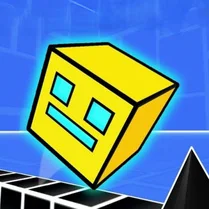
Common Core State Standards
Every game supports specific Common Core standards. Browse the full standards library.
Practice by Skill
Games by Grade
What is Geometry Dash 3D: Build a level
Put your creativity and reflexes to the test as you build and run your own 3D obstacle courses. Every level is a canvas for tricky geometry and satisfying timing.
How to Play
Tap or click to make your cube jump, timing each press to clear obstacles and land safely. In the editor, select from various blocks and traps to design your course, then hit play to see if it's actually beatable.
Tips for Playing
- Make your early levels short and simple to get a feel for the 3D depth before adding complex jumps.
- Playtest your own course a few times to find and fix unfair gaps or impossible sequences.
- Focus on the cube's shadow to judge where it will land when jumping in three dimensions.
- Keep a steady rhythm in the editor by spacing obstacles evenly, which makes the final run more satisfying.
- Try building a level with a clear theme, like a vertical ascent or a series of corridors, to keep it engaging.
Frequently Asked Questions
Can I share my custom levels with other players?
Yes, the game includes options to share your created levels with the community, letting others try your designs and vice versa.
Do I need to complete the built-in levels before using the editor?
No, you can access the level editor at any time, though playing existing levels can give you ideas and help you understand the mechanics.
What happens if my cube hits an obstacle?
You'll crash and need to restart the level from the beginning, just like in classic dash games. Persistence is key to mastering tough spots.
Is there a limit to how many levels I can create?
The game generally allows you to create as many levels as you want, though some versions may have a cap. Check the in-game menu for specifics.
Can I play on a mobile device?
Yes, the game is browser-based and works well on tablets and phones, with touch controls mirroring the click response.
How do I improve my timing in 3D?
Practice on simpler levels to get used to judging distances, and pay close attention to the cube's shadow to anticipate landings.
Related Sandbox Building Games
 Geometry Dash 3D - With Level Editor
 3Dash: Building Levels
 Geometry Dash: Super Editor
 Geometry Dash Editor
 Geometry Dash: Wave Editor
 Geometry Dash: Make your level with a wave
 Geometry Dash UFO: Create your own level
 The Geometry Dash Sandbox
 Geometry Dash: Ball Editor
 Geometry Dash: Make a map with a jetpack
 Geometry Dash: Swing Copter Editor
 Geometry Dash: Dual Wave Editor
 Geometry Dash: Make your own level with a ship
 Geometry Dash
 Geometry Dash Wave: Original
 Geometry dash wave
 Geometry Dash Original
 Geometry Dash 2.2