Geometry Dash: Swing Copter Editor
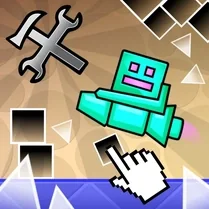
This fan-made twist on the classic rhythm platformer puts the level creation tools front and center. Instead of just playing through pre-made stages, you get to design your own Swing Copter courses from scratch. The editor is straightforward, letting you place obstacles, tweak gravity, and set the flow of each jump. Once you're satisfied, you can publish your level for others to try, or jump into the built-in library to play what other players have cooked up. The core gameplay stays true to the Geometry Dash formula: one-tap controls, tight timing, and a pounding soundtrack. But the Swing Copter mechanic adds a unique vertical challenge, forcing you to balance your rotations as you navigate through spikes and corridors. Whether you're a level designer at heart or just looking for a fresh take on the genre, this editor gives you endless replay value through its user-generated content.
 WaffleMath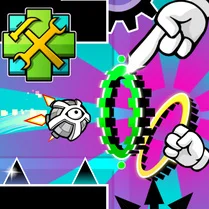
Common Core State Standards
Every game supports specific Common Core standards. Browse the full standards library.
Practice by Skill
Games by Grade
What is Geometry Dash: Swing Copter Editor
Take control of the level design in this Swing Copter-focused Geometry Dash editor. Build, play, and share your own rhythmic obstacle courses.
How to Play
Tap or click to make the Swing Copter rotate and propel upward, timing your inputs to thread through gaps. In the editor, place obstacles and adjust gravity, then test your creation by playing through it.
Tips for Playing
- Start with simple, open layouts to get a feel for the editor before adding tricky obstacles.
- Use gravity tweaks strategically to create interesting momentum shifts, not just random chaos.
- Test your level repeatedly from the beginning to ensure every jump is actually possible.
- Place checkpoints in your design so players don't have to restart from scratch on hard sections.
- Watch others' levels for inspiration on how to structure engaging Swing Copter sequences.
Frequently Asked Questions
Can I share my custom levels with other players?
Yes, the editor lets you publish your completed levels for other players to try, and you can play levels shared by the community.
Is this the same as the official Geometry Dash game?
No, this is a fan-made version that focuses specifically on the Swing Copter mode and includes a level editor, so it's not an official release.
What controls do I need to play?
You only need a single button—click, tap, or press a key to make the Swing Copter rotate and move upward. Timing is everything.
How do I change gravity in the editor?
The editor includes gravity settings that you can adjust for different sections of your level, allowing you to create unique flight paths.
Are there pre-made levels to play?
Yes, the game includes a library of community-created levels, so you can jump right in even before designing your own.
Can I edit levels made by other players?
Typically, you can only edit your own creations, but you can play and rate levels made by others for feedback.
Related Runner Games
 Geometry Dash: Wave Editor
 Geometry Dash UFO: Create your own level
 Geometry Dash Editor
 Geometry Dash: Dual Wave Editor
 Geometry Dash: Super Editor
 Geometry Dash: Waves of Motion
 Geometry Dash Zero
 Geometry Dash: Unstoppable Wave
 Geometry Dash: Wave Chaos
 Geometry Dash: Secret Mode
 Geometry Dash: Fight with Brainrot!
 Geometry Dash: Transformation!
 Geometry Dash: Make your level with a wave
 The Geometry Dash Sandbox
 Geometry Dash: Make a map with a jetpack
 Geometry Dash: Ultra Mega MOD Playground!
 Geometry Dash: Cube Farm and Other Modes!
 Geometry Dash: Make your own level with a ship