Geometry Dash UFO: Create your own level
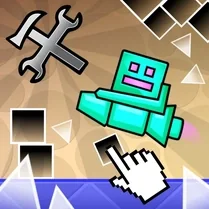
Geometry Dash UFO: Create your own level puts the spotlight on the beloved UFO game mode, offering a fresh playground for both creators and players. Instead of just navigating pre-built challenges, you get the power to shape your own—design intricate flight paths, time your boosts, and set up obstacles that test your skills. The level editor is straightforward, letting you place platforms, spikes, and decorative elements with ease, so you can focus on bringing your wildest ideas to life. Once your level is ready, share it with the community and see how others fare against your creation. You can also dive into levels made by fellow players, each offering a unique twist on the classic rhythm-based gameplay. Whether you're a veteran looking to express your creativity or a newcomer eager to experiment, this game blends construction and action seamlessly. Every jump, every turn, and every near-miss feels satisfying, keeping you hooked from the first attempt to the final victory.
 WaffleMath
Common Core State Standards
Every game supports specific Common Core standards. Browse the full standards library.
Practice by Skill
Games by Grade
What is Geometry Dash UFO: Create your own level
Design your own UFO challenges in this creative spin on the classic Geometry Dash formula. Build, play, and share your custom levels with a community of like-minded fans.
How to Play
Use the editor to place obstacles and design your level's layout, then switch to play mode to test it. Control the UFO by holding or tapping to rise, releasing to fall, and avoid all hazards to reach the end.
Tips for Playing
- Start with a simple layout, then gradually add obstacles to learn how your UFO moves.
- Keep a consistent rhythm between your UFO's rises and falls to maintain control.
- Test your level multiple times to ensure every jump is fair and reachable.
- Use alternating spike and platform patterns to create a balanced difficulty curve.
- Watch replays of other players' levels for inspiration on creative obstacle placement.
Frequently Asked Questions
What is the main feature of this game?
The game focuses on the UFO game mode, where you can create your own levels using a simple editor and share them with the community.
How do I control the UFO during gameplay?
Hold down the mouse or touch the screen to make the UFO rise, and release it to let it fall, just like in the original Geometry Dash.
Can I play levels made by other players?
Yes, you can browse and play levels shared by other users, giving you endless variety and challenges to enjoy.
Is the level editor easy to use for beginners?
The editor is designed to be intuitive, with drag-and-drop tools, so even new players can quickly start building their own levels.
Are there any in-game purchases or hidden costs?
No, the game is completely free to play, with all features accessible without any charges.
What happens if I get stuck on a custom level?
You can always edit your level to adjust difficulty or check the solutions others have used in similar levels.
Related Runner Games

 Geometry Dash: Wave Editor
 Geometry Dash: Swing Copter Editor
 Geometry Dash Editor
 Geometry Dash: Dual Wave Editor
 Geometry Dash: Super Editor
 Geometry Dash: Waves of Motion
 Geometry Dash Zero
 Geometry Dash: Unstoppable Wave
 Geometry Dash: Wave Chaos
 Geometry Dash: Secret Mode
 Geometry Dash: Fight with Brainrot!
 Geometry Dash: Transformation!
 Geometry Dash: Make your level with a wave
 The Geometry Dash Sandbox
 Geometry Dash: Make a map with a jetpack
 Geometry Dash: Ultra Mega MOD Playground!
 Geometry Dash: Cube Farm and Other Modes!
 Geometry Dash: Make your own level with a ship