Geometry Dash: Dual Wave Editor
Geometry Dash: Dual Wave Editor splits your focus across two synchronized wave riders, each navigating its own corridor of angular traps and glowing pickups. It's a pure test of split-second timing and rhythmic discipline, where every jump, slide, and orb grab must land precisely on the pulse of the soundtrack. Success depends on reading both paths as a single fluid motion rather than two separate tasks. This entry in the series sharpens the core formula by adding a second layer of awareness. You'll lace through spikes, clear barriers, and snag collectibles in both lanes simultaneously, all while the music drives the pace. The editor mode lets you tweak layouts or build your own challenges, offering endless replayability for players who crave tighter coordination and creative level design.
 WaffleMath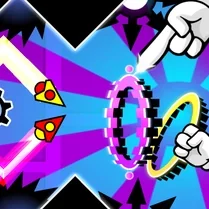
Common Core State Standards
Every game supports specific Common Core standards. Browse the full standards library.
Practice by Skill
Games by Grade
What is Geometry Dash: Dual Wave Editor
Geometry Dash: Dual Wave Editor throws two waves at you at once, demanding perfect timing and split attention. It's a rhythm-fueled arcade test where you steer both vessels through a maze of glowing geometric obstacles.
How to Play
Control both waves using the same input method—tap or click—to make them jump together in sync. Time each press to the beat so both lanes clear spikes, barriers, and other hazards without crashing.
Tips for Playing
- Mentally merge the two lanes into one pattern, focusing on shared rhythms rather than separate inputs.
- Watch the visual cues in both corridors equally; your peripheral vision can track the second wave's obstacles.
- Practice on slower sections first to build muscle memory for synchronized jumps.
- Collect orbs only when they align with your path—don't chase them if they disrupt your timing.
- Use the editor to create simpler layouts for drilling specific dual-wave patterns before tackling harder stages.
Frequently Asked Questions
Can I control each wave separately?
No—both waves share the same input, so a single tap makes them jump simultaneously. The challenge is timing that jump to clear obstacles in both lanes.
What happens if one wave hits an obstacle?
The game ends immediately when either wave crashes, so you need to protect both equally.
How does the editor mode work?
The editor lets you place obstacles, orbs, and other elements in both lanes, then save your custom level for you or others to play.
Are there checkpoints during levels?
Typical runs don't have mid-level checkpoints, but practicing in the editor or using practice mode can help you learn segments step by step.
Is this game based on the original Geometry Dash?
It reuses the core jumping and timing mechanics, but the dual-wave twist and editor feature set it apart.
Can I play on mobile?
While the browser version is designed for desktop, the controls are simple enough to work with touch if the platform supports it.
Related Runner Games
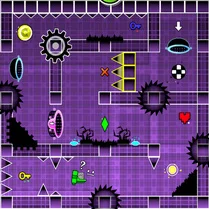
 Geometry Dash Editor
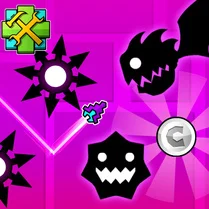 Geometry Dash: Wave Editor
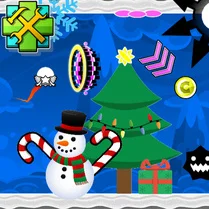 Geometry Dash UFO: Create your own level
 Geometry Dash: Swing Copter Editor
 Geometry Dash: Super Editor
 Geometry Dash: Waves of Motion
 Geometry Dash Zero
 Geometry Dash: Unstoppable Wave
 Geometry Dash: Wave Chaos
 Geometry Dash: Fight with Brainrot!
 Geometry Dash: Transformation!
 Geometry Dash: Make your level with a wave
 The Geometry Dash Sandbox
 Geometry Dash: Make a map with a jetpack
 Geometry Dash: Ultra Mega MOD Playground!
 Geometry Dash: Cube Farm and Other Modes!
 Geometry Dash: Make your own level with a ship
 Geometry Dash Wave: Original