The Geometry Dash Sandbox
Geometry Dash Sandbox flips the usual formula: instead of just playing through a fixed set of stages, you get a full toolkit to construct your own gauntlets of spikes, blocks, and jump pads. The core loop stays true to the genre—tap to make your cube hop in time with the beat—but the real draw is the creation side. You can lay out obstacles on a grid, fine-tune the music, and then test your own handiwork, adjusting difficulty until it feels just right. Beyond building, the game invites you to sample a library of player-made stages, so there's always something fresh to try. Whether you're in the mood to carefully craft a precision challenge or just want to blast through a few quick runs, the sandbox gives you both options in one place. The visual style stays crisp and minimal, letting the gameplay and your imagination take center stage.
 WaffleMath
Common Core State Standards
Every game supports specific Common Core standards. Browse the full standards library.
Practice by Skill
Games by Grade
What is The Geometry Dash Sandbox
Geometry Dash Sandbox puts a level editor at your fingertips, letting you craft and play your own rhythm platformer stages.
How to Play
Tap or click to make your cube jump, timing each hop to avoid spikes and clear gaps. In the editor, place objects on the grid, then run your level to test it; you can refine it as many times as you like.
Tips for Playing
- Start with simple jump patterns to get a feel for the timing before adding complex sequences.
- Place checkpoints in your custom levels to help players (and yourself) practice tricky sections.
- Use the music's beat as your guide—synchronizing jumps to the rhythm makes levels feel more natural.
- Test your own level repeatedly after each edit; small tweaks can change the flow significantly.
- Look at other creators' stages for inspiration on obstacle layouts and pacing.
Frequently Asked Questions
Can I play levels made by other people?
Yes, the sandbox includes a community section where you can browse and play stages created by other players.
Do I need to complete the game to unlock the editor?
No, the level editor is available from the start, so you can begin building right away.
Is there a way to save my custom levels?
Absolutely, your creations are saved locally, and you can revisit or share them anytime.
Can I adjust the difficulty of a level I'm playing?
You can't alter others' levels, but you can customize your own to be as easy or hard as you like.
Does the game work on mobile devices?
Yes, the controls are optimized for touch, so you can play and build on phones and tablets.
What happens if I get stuck on a difficult section?
You can keep retrying as often as needed—there's no penalty for failing, so practice makes perfect.
Related Sandbox Building Games
 Geometry Dash - SUPER PORTAL GUNS! Sandbox!
 Geometry Dash: Super Editor
 Geometry Dash: Make your level with a wave
 Geometry Dash: Make a map with a jetpack
 Geometry Dash - SUPER EFFECTS! Sandbox Mod!
 Geometry Dash: Make your own level with a ship
 Geometry Dash - SUPER BOMBS of EMOTIONS! Sandbox!
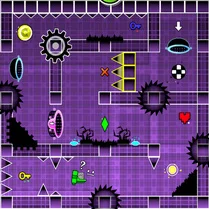 Geometry Dash Editor
 Geometry Dash: Wave Editor
 Geometry Dash: Black Wave
 Geometry Dash: Fun Wave
 Geometry Dash: Secret Mode
 Geometry Dash: Cube 2.2
 Geometry Dash: Mega Wave
 Geometry Dash UFO: Create your own level
 Geometry Dash Jeka
 Geometry Dash: Ball Editor
 Geometry Dash: Black Rocket