Geometry Dash: Make your own level with a ship
This Geometry Dash experience flips the usual rhythm-based platforming on its head by putting the spotlight squarely on the ship mode. You're not just playing through pre-made levels; you're the architect of your own aerial challenges. The level editor gives you a full toolbox to place spikes, blocks, orbs, and portals, allowing you to design courses that twist, turn, and demand precise flight control. Once you've built your masterpiece, it's time to strap in and see if your creation is actually beatable. What makes this version stand out is the pure focus on ship gameplay. Unlike the standard cube sections, the ship requires constant, gentle adjustments to your trajectory. You'll need to anticipate gaps, thread through tight corridors, and use orbs to bounce at just the right moment. The editor's simplicity means you can quickly prototype a level, make adjustments on the fly, and then immediately test it. It's a creative playground that challenges both your level design logic and your twitch reflexes.
 WaffleMath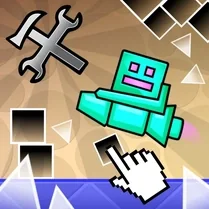
Common Core State Standards
Every game supports specific Common Core standards. Browse the full standards library.
Practice by Skill
Games by Grade
What is Geometry Dash: Make your own level with a ship
Are you ready to become a level designer and a skilled pilot? This Geometry Dash iteration puts you in control, letting you build and fly through custom ship-only levels.
How to Play
Use the editor to place obstacles, orbs, and portals to design a ship-based level. Then tap or click to make the ship ascend and release to descend, navigating your course without crashing.
Tips for Playing
- Start with a short, simple level to get a feel for the ship's controls before adding complex obstacles.
- Place orbs at predictable points so the player can react without guessing.
- Use portals sparingly; a sudden gravity flip can disorient even experienced pilots.
- Test your level immediately after each edit to catch impossible gaps or unfair spikes.
- Maintain a steady rhythm with your taps; jerky movements are the leading cause of crashes.
Frequently Asked Questions
Can I save my custom levels?
Usually, the game will save your progress automatically within the browser. But it's always a good idea to keep your design in mind in case you need to recreate it.
Is there a practice mode to test tricky sections?
While not guaranteed, many versions include a practice mode that places checkpoints, helping you learn problematic areas without starting over.
What do the different portals do?
Portals can change the ship's size, speed, or even reverse gravity. Experimenting is key, but be careful—some combinations can be extremely difficult.
Are there multiplayer options for this game?
Typically, this is a single-player experience focused on designing and playing your own levels. Sharing levels often isn't supported in the browser version.
How do I get better at flying the ship?
Practice is essential. Try creating a simple, open course with few obstacles to hone your control before tackling a more intricate design.
Related Music Rhythm Games

 Geometry Dash: Super Editor
 Geometry Dash: Make your level with a wave
 The Geometry Dash Sandbox
 Geometry Dash: Make a map with a jetpack
 Geometry Dash Editor
 Geometry Dash: Wave Editor
 Geometry Dash: Black Wave
 Geometry Dash: Fun Wave
 Geometry Dash: Secret Mode
 Geometry Dash: Cube 2.2
 Geometry Dash: Mega Wave
 Geometry Dash UFO: Create your own level
 Geometry Dash Jeka
 Geometry Dash: Ball Editor
 Geometry Dash: Black Rocket
 Geometry Dash: Swing Copter Editor
 Geometry Dash: Battle of the Memes 2!
 Geometry Dash - SUPER EFFECTS! Sandbox Mod!