Geometry Dash: Battle of the Memes 2!
This fan-made sequel takes the classic rhythm-platforming formula and injects it with a hefty dose of internet culture. Each stage is a visual and auditory mashup of viral memes, set against a backdrop of pulsing beats and neon-lit geometry. The gameplay stays true to the genre's roots: you'll guide a square through a gauntlet of spikes, blocks, and rotating hazards, all while the music drives the timing of every move. What sets this installment apart is its personality. From familiar faces to iconic sound effects, the levels are packed with nods that keep things lighthearted even when the difficulty spikes. The result is a challenging but whimsical experience that rewards both rhythm and memorization. Whether you're looking for a quick test of skill or a full-blown session, this browser-based adventure delivers a fresh twist on a beloved formula.
 WaffleMath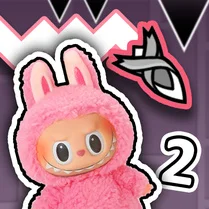
Common Core State Standards
Every game supports specific Common Core standards. Browse the full standards library.
Practice by Skill
Games by Grade
What is Geometry Dash: Battle of the Memes 2!
Ready to test your timing in a world where memes and music collide? Battle of the Memes 2 cranks up the challenge with every jump.
How to Play
Tap or click to make your square jump, holding to leap higher. Time your jumps to land safely on platforms and avoid hazards, aiming to reach the end of each level.
Tips for Playing
- Listen to the beat: the music guides your jump timing.
- Memorize tricky sections to anticipate sudden spikes.
- Hold the jump button for a higher, longer leap.
- Practice early levels to warm up your reflexes.
- Stay calm during rapid-fire sequences; focus on one jump at a time.
Frequently Asked Questions
Is this game an official Geometry Dash sequel?
No, it's a fan-made creation that plays similarly to the original but adds meme-themed levels and references.
Can I play this game on a mobile device?
Yes, it's a browser game that works on touchscreens and desktops, though performance may vary on older phones.
Do I need to download anything to play?
No download is required; the game runs directly in your web browser, making it easy to start instantly.
Are there different difficulty settings?
The game features multiple levels with increasing difficulty, but there's no separate difficulty selector.
What happens if I hit an obstacle?
You'll fail the level and restart from the beginning, but the quick restart makes it easy to try again.
Does the game save my progress?
Progress is typically saved automatically in your browser, allowing you to continue from your last unlocked level.
Related Music Rhythm Games

 Geometry Dash: Super Editor
 Geometry Dash: Black Wave
 Geometry Dash: Fun Wave
 Geometry Dash: Meme Fight
 Geometry Dash: Secret Mode
 Geometry Dash: Cube 2.2
 Geometry Dash: Make your level with a wave
 Geometry Dash: Mega Wave
 Geometry Dash Jeka
 The Geometry Dash Sandbox
 Geometry Dash: Make a map with a jetpack
 Geometry Dash: Black Rocket
 Geometry Dash - SUPER EFFECTS! Sandbox Mod!
 Geometry Dash - SUPER WEAPONS AND SWORDS
 Geometry Dash - SUPER PORTAL GUNS! Sandbox!
 Love Dash in Geometry Dash!
 Geometry Dash: Make your own level with a ship
 Geometry Dash