Geometry Dash
Geometry Dash is a high-energy arcade experience that fuses reflex testing with musical synchronization. As your blocky avatar careens along neon-soaked pathways, every jump, flip, and flight must align with the beat to survive. The game’s visual style is sleek and minimal, but don’t let that fool you—the gameplay is anything but simple. With each level’s soundtrack driving the action, you’ll find yourself moving to rhythms as much as reacting to hazards. The challenge ramps up quickly, offering a test of memory and reaction speed rather than brute force. Each run forces you to learn the layout and master the timing, turning initial failures into stepping stones. Beyond the built-in tracks, a robust level editor lets you craft and share your own beat-synced courses, ensuring endless variety. It’s a pure, adrenaline-fueled loop that keeps you hitting replay long after you’ve cleared a stage.
 WaffleMath
Common Core State Standards
Every game supports specific Common Core standards. Browse the full standards library.
Practice by Skill
Games by Grade
What is Geometry Dash
Get ready for a pulse-pounding ride where every beat counts. Guide your square through a maze of spikes and saws, perfectly synced to an electrifying soundtrack.
How to Play
Tap or press the spacebar to make your square jump, avoiding spikes and spinning blades while riding platforms and flying through gravity-defying segments. Stay locked to the rhythm and hit each action with precision to clear the level.
Tips for Playing
- Start with the easier levels to build muscle memory for jump timing.
- Listen to the beat—it often cues an upcoming obstacle.
- Memorize tricky sections by repeating them until they become second nature.
- Use practice mode to place checkpoints and learn difficult segments without restarting.
- Mute the music if you’re struggling, since visuals alone can guide your timing.
Frequently Asked Questions
Is Geometry Dash playable on mobile devices?
Yes, it’s available on iOS and Android, offering the same levels and features as the desktop version.
How do I unlock new icons and colors?
You earn icons and colors by completing levels and collecting secret coins, which you can then customize in the icon menu.
What is practice mode?
Practice mode lets you place checkpoints during a level, so you can practice tough parts without restarting from the beginning.
Can I create my own levels?
Absolutely—the level editor is accessible from the main menu, allowing you to build and share custom tracks with other players.
Are there difficulty settings?
The game doesn’t have adjustable difficulty, but the levels themselves are rated from Easy to Demon, letting you choose the challenge level.
Does the game have a soundtrack?
Each level has its own electronic music track, and the gameplay is designed to sync with the beat for an immersive experience.
Related Music Rhythm Games
 Geometry Dash 2.2
 Geometry Dash 2.2: Arrow
 Geometry Dash 2D
 Geometry Dash: Arrow 2.2
 Geometry Dash 2.2: New Arrow
 Geometry Dash Finally
 Geometry Dash: Flight Machines
 Geometry Dash: Ball 2.2
 Geometrycal Dash 2 - Platformer
 Geometry Dash: Crazy Wave
 Geometry dash flying saucer
 Geometry Dash Forms
 Geometry Dash: Geo
 Geometry Dash Levels
 Geometry Dash Master
 Geometry Dash Rocket
 Geometry Dash with SchoolBoy
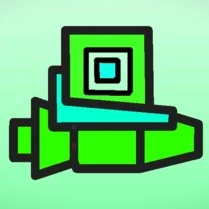 Geometry Dash Ship