Pixel art Logo Coloring
Pixel art Logo Coloring flips your favorite brand markers into detailed pixel grids, turning each one into a miniature mosaic you assemble one cell at a time. Rather than drawing freehand, you work with a straightforward palette and a clear template, deciding where each color belongs. The core loop is calm and methodical: match the shade to the right square, watch the outline fill in, and gradually reveal a crisp, recognizable emblem. It’s less about speed and more about patience, making it a soothing pastime for anyone who enjoys logic-based coloring or casual creative tasks. Beyond the simple mechanics, the experience has a quiet satisfaction—you’re not just tapping pixels but also testing your visual memory of well-known logos. Each completed piece feels like a small achievement, and the grid-based structure keeps the focus on precision rather than artistic skill. Whether you have a few minutes to spare or want to unwind for longer, the game offers a low-pressure way to engage with familiar imagery in a fresh, blocky form. It’s ideal for players who prefer structured creativity without complex rules or timers.
 WaffleMath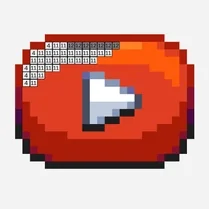
Common Core State Standards
Every game supports specific Common Core standards. Browse the full standards library.
Practice by Skill
Games by Grade
What is Pixel art Logo Coloring
Take a break from fast-paced action and settle into a gentle coloring session. Your favorite logos are waiting to be brought to life, one pixel at a time.
How to Play
Select a color from the palette at the bottom, then tap or click the matching pixel cells on the grid to fill them. Work through the entire design until the logo is fully colored.
Tips for Playing
- Start with the outlines or darker colors to establish the shape before filling in larger areas.
- Work in sections, moving from top to bottom or left to right, to avoid missing pixels.
- Zoom in if the grid feels cramped to see individual cells more clearly and improve accuracy.
- Use the reference image if one is provided to double-check you’re placing colors correctly.
- Take your time—there’s no timer, so enjoy the process without rushing.
Frequently Asked Questions
Is there a time limit for each logo?
No, you can color at your own pace. There’s no clock or pressure to finish quickly.
Can I choose my own colors for the logos?
While the game provides a palette that matches the original logo colors, you may have some flexibility to select different shades if allowed by the interface.
What happens if I color a pixel with the wrong shade?
You can usually undo or reselect the correct color and click the pixel again to fix it, depending on the game’s controls.
Are there different difficulty levels?
Logos come in various grid sizes, with larger grids being more detailed and challenging. This creates natural variation without formal levels.
Do I need to recognize the logo before starting?
Not at all. The grid and palette guide you, but recognizing the brand is part of the fun as the image emerges.
Is this game suitable for children?
Yes, the simple mechanics and familiar logos make it accessible for younger players, though some grids may require patience for smaller cells.
Related Art Coloring Games

 The best Mine coloring book
 Colorize - Coloring by Number
 Pixel Art
 Pixely - Color by number
 Anime: Paint by Numbers
 Big coloring by numbers
 Chill Pixel: Paint by Numbers
 Color Pixels - Coloring by Numbers
 Coloring by Numbers. Pixel World
 Coloring by numbers: Colored pixel
 Pictures by Numbers: Superheroes
 Pixels: Coloring-embroidery by numbers
 Color Brainrot. Paint by Numbers
 Coloring Noob and Pro
 Coloring by numbers
 Coloring by Numbers. Pixel Art
 Coloring by Numbers. Pixel House
 Coloring by Numbers. Pixel Room