Pixels: Coloring-embroidery by numbers
Pixels: Coloring-embroidery by numbers offers a unique twist on classic paint-by-number puzzles. Instead of a flat canvas, you'll work with grid-based patterns that mimic the look and feel of cross-stitch embroidery, complete with thread-like textures and a palette rich with hues. Each design is a mosaic of tiny squares, and your task is to fill them with the correct colors based on the numbers printed on each cell. As you progress, the image slowly reveals itself, transforming a blank grid into a stunning piece of digital needlework. The game is designed to be intuitive and relaxing, with no timers or pressure. You can zoom in to focus on intricate sections and zoom out to admire your handiwork. With a wide variety of patterns, from simple icons to complex landscapes, there's always a new challenge to unwind with. Whether you have a few minutes or an hour, this arcade-style puzzle offers a satisfying escape into a world of color and creativity.
 WaffleMath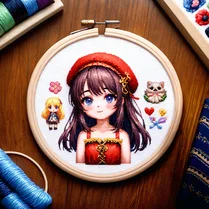
Common Core State Standards
Every game supports specific Common Core standards. Browse the full standards library.
Practice by Skill
Games by Grade
What is Pixels: Coloring-embroidery by numbers
Unwind with a digital coloring book that blends pixel art with embroidery aesthetics. Match numbers to fill each grid cell and watch beautiful designs come to life.
How to Play
Select a color from the palette that corresponds to a number on the grid, then tap or click on the cells marked with that number. Continue matching numbers until every cell is colored and the artwork is complete.
Tips for Playing
- Start with the largest numbered areas to quickly cover space and see progress.
- Zoom in to precisely tap individual cells, especially in dense sections.
- Use the preview feature to see the final design and guide your color choices.
- Take breaks if your eyes strain, and remember there's no rush.
- Finish small sections fully before moving on to avoid missing cells.
Frequently Asked Questions
What is the goal of the game?
The goal is to color all the numbered cells in a grid with the corresponding colors to reveal an embroidered pixel art picture.
Are there different difficulty levels?
Yes, the game offers a range of designs from simple, small grids to complex, larger ones, providing a challenge for all skill levels.
Can I play this on my phone?
Absolutely, the game is optimized for both desktop and mobile browsers, with touch controls for easy tapping.
What happens if I color a wrong cell?
You can easily undo mistakes with the undo button so you can correct any errors without restarting.
Is there a time limit?
No, there is no time limit or pressure. You can take as long as you need to finish each puzzle.
Do I need to create an account to play?
No account is required. Just open the game and start coloring immediately.
Related Art Coloring Games

 The best Mine coloring book
 Colorize - Coloring by Number
 Pixely - Color by number
 Anime: Paint by Numbers
 Big coloring by numbers
 Chill Pixel: Paint by Numbers
 Color Pixels - Coloring by Numbers
 Coloring by Numbers. Pixel World
 Coloring by numbers: Colored pixel
 Color Brainrot. Paint by Numbers
 EmmaColor - Paint by Numbers
 Five Nights at FNAF: Colour by Numbers!
 Pixel Alchemy: Color by Number
 Sprunki: Paint by Numbers
 Color by Number: Online!
 Cross Stitching: Minecraft
 Paint by Number
 Diamond Painting by Number