Color Brainrot. Paint by Numbers
Color Brainrot. Paint by Numbers turns a classic color-by-number format into a delightful brain-teasing pastime. The game presents you with a grid packed with numbers, each corresponding to a specific hue. Your mission is to tap or click on the numbered cells to flood them with the right shade, gradually revealing a hidden pixel illustration. It's a slow-burn puzzle that rewards patience and precision, offering a meditative escape from fast-paced gaming. As you work through the grid, the image emerges piece by piece, giving you a satisfying sense of accomplishment with every completed section. The gameplay is straightforward yet engaging—no timers, no pressure, just pure logic and a splash of creativity. Whether you're a puzzle enthusiast or just looking for a calm activity, this game provides a gentle challenge that fits neatly into short breaks or longer sessions. The colorful result is always worth the effort, making each puzzle a tiny masterpiece you can be proud of.
 WaffleMath
Common Core State Standards
Every game supports specific Common Core standards. Browse the full standards library.
Practice by Skill
Games by Grade
What is Color Brainrot. Paint by Numbers
Dive into a tranquil puzzle where numbers guide you to paint vibrant pictures. Color Brainrot. Paint by Numbers offers a soothing twist on classic color-by-number fun.
How to Play
Look at the number in each cell of the grid, then select the matching color from the palette on the side. Click or tap the cell to fill it, and continue until the entire picture is revealed.
Tips for Playing
- Start from the edges of the grid to make the process easier.
- Use the zoom feature, if available, to spot tricky smaller numbers.
- Fill in large numbered areas first to build momentum.
- Take breaks to avoid eye strain when numbers become dense.
- Check the color palette periodically to keep your mind fresh.
Frequently Asked Questions
What happens when I finish a picture?
After you paint all cells correctly, the full pixel art image appears, and you can admire your completed work. Some versions may offer a new puzzle to tackle next.
Is there a time limit?
No, the game is designed to be relaxing, so you can take as long as you need to solve each grid. There's no rush.
Can I make a mistake in coloring?
You can select the wrong color, but you won't be able to fill a cell incorrectly—the game only lets the correct shade stick. This prevents errors and keeps puzzles enjoyable.
Are there different difficulty levels?
Typically, the game offers puzzles of varying sizes and complexity, from small easy grids to larger ones with more numbers and colors.
Can I play this game on a mobile device?
Yes, the game is designed to work in a browser, so it often plays perfectly on both computers and touchscreen devices like phones and tablets.
What do the numbers in the grid mean?
Each number represents a specific color in the palette. Just match the number to the corresponding shade to fill the area correctly.
Related Art Coloring Games

 The best Mine coloring book
 Colorize - Coloring by Number
 Pixely - Color by number
 Anime: Paint by Numbers
 Big coloring by numbers
 Chill Pixel: Paint by Numbers
 Color Pixels - Coloring by Numbers
 Coloring by Numbers. Pixel World
 Coloring by numbers: Colored pixel
 Pixels: Coloring-embroidery by numbers
 EmmaColor - Paint by Numbers
 Five Nights at FNAF: Colour by Numbers!
 Pixel Alchemy: Color by Number
 Sprunki: Paint by Numbers
 Color by Number: Online!
 Cross Stitching: Minecraft
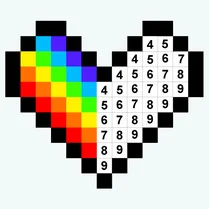 Paint by Number
 Diamond Painting by Number