Coloring Noob and Pro
Coloring Noob and Pro offers a meditative escape into the world of digital art. The core loop is deceptively simple: each blank cell carries a number, and your task is to match it with the corresponding color from a palette. As you methodically fill the grid, a charming pixelated scene emerges from the chaos, delivering a satisfying sense of accomplishment with every finished piece. What sets this game apart is its dual-layered approach. Noob mode presents smaller, more approachable designs that are perfect for quick sessions or those new to the genre. Pro mode, however, ramps up the complexity with larger grids and a more nuanced color palette, offering a deeper and more engaging challenge for veteran colorists. Whether you're looking to kill a few minutes or lose yourself in a longer project, this game adjusts to your mood.
 WaffleMath
Common Core State Standards
Every game supports specific Common Core standards. Browse the full standards library.
Practice by Skill
Games by Grade
What is Coloring Noob and Pro
Take a break and paint by numbers in a relaxing pixel world. Choose your preferred difficulty and start revealing beautiful artwork one cell at a time.
How to Play
Select a color from the palette, then click or tap cells that share the same number to fill them in. Match all numbers to complete the image.
Tips for Playing
- Start with the darkest or most defined colors first to establish outlines.
- Work in rows or columns to maintain a systematic approach.
- Use the zoom feature to precisely target hard-to-see numbered cells.
- In Pro mode, double-check numbers to avoid costly mistakes.
- Take breaks to keep your eyes fresh and prevent missed cells.
Frequently Asked Questions
What is the difference between Noob and Pro modes?
Noob mode offers smaller grids with simpler images and fewer colors, while Pro mode features larger grids and more complex designs with a wider color range.
Can I undo a mistake if I fill a wrong cell?
Yes, there is an undo button that lets you step back one action at a time. Use it if you accidentally color the wrong section.
Are there any time limits?
No, the game is completely relaxed and you can take as much time as you need to finish each picture.
How do I know which color goes with which number?
Each number on a cell corresponds to a color swatch shown in the palette at the bottom or side of the screen. Simply match them.
Does the game save my progress if I leave mid-way?
Yes, your current progress is saved automatically, so you can return later and pick up right where you left off.
Related Art Coloring Games
 Coloring by numbers
 Coloring by Numbers. Pixel Art
 Color Pixels - Coloring by Numbers
 Coloring by Numbers. Pixel World
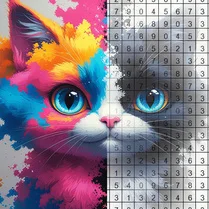 Coloring by numbers: Colored pixel
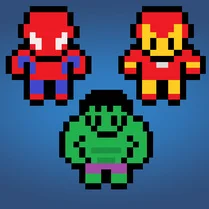 Pictures by Numbers: Superheroes
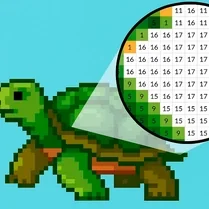 Coloring by Numbers. Pixel House
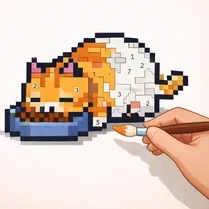 Coloring by Numbers. Pixel Room
 Color by numbers: PixPix
 Color Pixels
 Picture by number: Minecraft
 Pixel Alchemy: Color by Number
 Pixel Assembly: Paint by Numbers
 Pixel: Coloring Game for Girls
 PixelCraft: Paint by Numbers!
 Color by Number: Online!
 The best Mine coloring book
 Diamond Painting by Number