Color Pixels
Color Pixels turns your screen into a serene palette of numbered hues, inviting you to assemble vivid mosaics one tile at a time. It's less about speed and more about the calm satisfaction of watching a blank grid transform into a recognizable scene—be it a sleepy cat, a cosmic sunset, or a whimsical landscape. The game’s gentle progression and the subtle pop of each correctly placed color create a mindful, almost meditative loop that appeals to casual players and puzzle lovers alike. As you work through the canvas, the numbered key guides your choices, removing guesswork and letting you focus on the pure joy of completion. Each finished piece offers a quiet sense of accomplishment, and the variety of designs keeps the experience fresh. With its intuitive interaction and clean presentation, Color Pixels is perfect for unwinding after a busy day or for a short, satisfying break. The game’s simplicity belies its charm, making it a delightful addition to any browser session.
 WaffleMath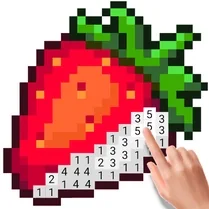
Common Core State Standards
Every game supports specific Common Core standards. Browse the full standards library.
Practice by Skill
Games by Grade
What is Color Pixels
Color Pixels is a laid-back puzzle activity where you piece together colorful pixel art by matching numbers to their corresponding tiles. It's a straightforward yet rewarding way to pass the time.
How to Play
Look at the numbered panel beside the canvas, select a color, and then click every cell on the grid that carries that number. Work your way through the palette until the entire image is revealed.
Tips for Playing
- Start with the largest numbered areas to quickly establish the main shapes of the image.
- Work from the edges inward to avoid missing scattered single tiles.
- Use the zoom function if available to spot tiny pixel groups more easily.
- Toggle the color key off occasionally to appreciate the emerging picture without guides.
- Take breaks if your eyes start to strain—this game is about relaxation, not rushing.
Frequently Asked Questions
Is Color Pixels suitable for children?
Yes, it's a simple and non-violent activity that can help with number recognition and color matching. The visuals are friendly and the pace is gentle.
Can I play Color Pixels on my mobile device?
The game is designed to work in modern browsers, and the interface adapts to smaller screens. You can tap the cells to fill them on a touch device.
What happens if I choose the wrong number?
The game only lets you paint the number you've selected onto matching cells, so errors are virtually impossible. You can always switch to a different number if you change your mind.
Are there many images to complete?
There is a variety of different pixel art designs available, and new ones may be added periodically. Each one offers a fresh challenge.
Does the game have a timer or score?
No, Color Pixels focuses purely on the creative process. There's no pressure to finish quickly or compete against a clock.
Can I reset a picture if I want to start over?
Yes, there is an option to reset the current canvas to its initial blank state, allowing you to begin again from scratch at any time.
Related Art Coloring Games

 Color Pixels - Coloring by Numbers
 Coloring by Numbers. Pixel World
 Coloring by numbers: Colored pixel
 Pictures by Numbers: Superheroes
 Coloring Noob and Pro
 Coloring by numbers
 Coloring by Numbers. Pixel Art
 Coloring by Numbers. Pixel House
 Coloring by Numbers. Pixel Room
 Color by numbers: PixPix
 Picture by number: Minecraft
 Pixel Alchemy: Color by Number
 Pixel Assembly: Paint by Numbers
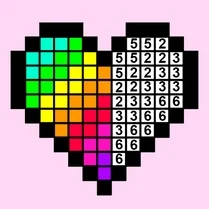 Pixel: Coloring Game for Girls
 PixelCraft: Paint by Numbers!
 Color by Number: Online!
 The best Mine coloring book
 Diamond Painting by Number