Coloring by numbers
This game offers a calm, meditative experience centered on completing pixelated pictures by painting designated zones. Every segment of the image carries a label that connects to a shade on your virtual palette, so your task is straightforward yet engaging. The satisfaction grows with each filled section, slowly converting a blank grid into a vivid scene. There is no clock pressure or scoring anxiety; it is purely about the joy of creating something beautiful, one click at a time. As you progress through various images, the designs range from simple objects to more elaborate compositions, ensuring you always have something new to tackle. The interface is clean and intuitive, making it easy to jump in and start coloring right away. Whether you have a few minutes or a longer stretch, you can leave and return whenever you like without losing your place. It also helps improve focus and attention to detail, while offering a gentle, creative escape from the daily rush.
 WaffleMath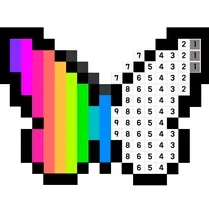
Common Core State Standards
Every game supports specific Common Core standards. Browse the full standards library.
Practice by Skill
Games by Grade
What is Coloring by numbers
Immerse yourself in a tranquil pastime where numbers guide your brush, revealing a colorful picture with every correct choice. Perfect for unwinding while exercising your eye for detail.
How to Play
Choose a numbered cell on the canvas and pick the matching color from the palette to fill it in. Continue until you have covered every number and the full image appears.
Tips for Playing
- Zoom in on the canvas to see small sections more clearly and avoid missing cells.
- Deal with entire rows or columns at a time to stay systematic and avoid confusion.
- Start from the edges of the image and work inward, which often simplifies the process.
- Use the hint function to reveal a hidden number if you feel stuck on a section.
- Take breaks so your eyes stay sharp, especially for larger or more detailed artworks.
Frequently Asked Questions
Can I reverse a coloring mistake?
Yes, there is an undo option that lets you revert your last action. You can also clear the entire canvas and begin anew if you prefer.
Are there different difficulty levels?
The game includes a variety of images with increasing complexity. You can start with simpler pictures and advance to those with more sections and shades.
Does my progress get saved automatically?
Absolutely, the game saves your current progress in the browser so you can close the tab and continue later without losing any filled areas.
Is there a time limit to finish a picture?
No, there is no time constraint. You are free to color at your own pace and take as many breaks as you need.
Can I use a touch screen to play?
Yes, the game is compatible with touch devices, allowing you to tap the cells instead of clicking with a mouse.
What happens when I complete a picture?
Once every numbered cell is colored correctly, the image is revealed in full, and you can move on to select another design from the collection.
Related Art Coloring Games
 Coloring Noob and Pro
 Coloring by Numbers. Pixel Art
 Color Pixels - Coloring by Numbers
 Coloring by Numbers. Pixel World
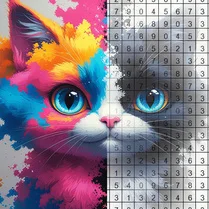 Coloring by numbers: Colored pixel
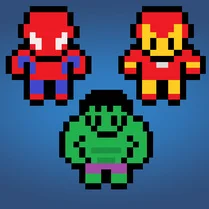 Pictures by Numbers: Superheroes
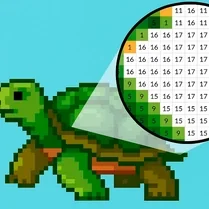 Coloring by Numbers. Pixel House
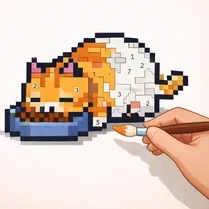 Coloring by Numbers. Pixel Room
 Color by numbers: PixPix
 Color Pixels
 Picture by number: Minecraft
 Pixel Alchemy: Color by Number
 Pixel Assembly: Paint by Numbers
 Pixel: Coloring Game for Girls
 PixelCraft: Paint by Numbers!
 Color by Number: Online!
 The best Mine coloring book
 Diamond Painting by Number