PixelCraft: Paint by Numbers!
PixelCraft: Paint by Numbers! offers a gentle, mindful escape from the bustle of daily life. Instead of frantic action, you're invited to slow down and engage with a canvas of small squares, each labeled with a number that corresponds to a specific hue from the palette. As you click your way across the grid, a delightful transformation occurs: recognizable shapes, landscapes, and characters emerge from the seemingly random dots, delivering a satisfying sense of progression. This title is ideal for anyone who enjoys the meditative rhythm of coloring books but prefers a digital touch. The mechanics are straightforward, yet the puzzles grow in complexity, offering a steady challenge that sharpens your attention to detail without causing stress. Whether you have five minutes or an entire afternoon, you can dive in, relax, and watch your creation take shape. Each finished piece is a small triumph, and the process itself is as rewarding as the final image.
 WaffleMath
Common Core State Standards
Every game supports specific Common Core standards. Browse the full standards library.
Practice by Skill
Games by Grade
What is PixelCraft: Paint by Numbers!
Unwind with a digital coloring experience that turns simple numbered grids into lovely pixel art. Perfect for a peaceful break or a creative session.
How to Play
Choose a number from the color key, then click or tap every cell on the grid that displays that number to fill it with the corresponding color. Continue until the entire canvas is painted, revealing the hidden image.
Tips for Playing
- Start with higher numbers, as they often cover smaller areas and help map out the picture.
- Work from the top-left corner downward to avoid missing cells.
- Take breaks to rest your eyes, especially on larger puzzles.
- Zoom in if the grid is dense to ensure you click the right cells.
- Use the preview feature, if available, to see the target image and guide your progress.
Frequently Asked Questions
Is there a time limit for completing a puzzle?
No, you can take as much time as you need. The game is meant to be relaxing and stress-free.
What happens if I fill a wrong cell?
You can usually undo your last action or simply correct the mistake by filling the cell with the correct color.
Are there different difficulty levels?
Yes, the puzzles range from simple, smaller grids to large, intricate designs with many numbers, so you can pick your preferred challenge.
Can I choose my own colors?
No, the color palette is predetermined for each puzzle, but this is part of the challenge of following the number key.
Is PixelCraft: Paint by Numbers! suitable for children?
Absolutely, its simple mechanics and visual rewards make it enjoyable and educational for young players, helping them practice numbers and colors.
Related Art Coloring Games

 Color Pixels - Coloring by Numbers
 Coloring by Numbers. Pixel World
 Coloring by numbers: Colored pixel
 Pictures by Numbers: Superheroes
 Coloring Noob and Pro
 Coloring by numbers
 Coloring by Numbers. Pixel Art
 Coloring by Numbers. Pixel House
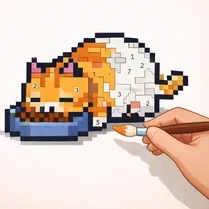 Coloring by Numbers. Pixel Room
 Color by numbers: PixPix
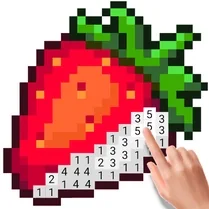 Color Pixels
 Picture by number: Minecraft
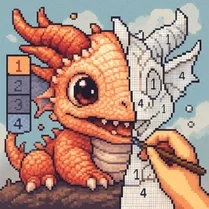 Pixel Alchemy: Color by Number
 Pixel Assembly: Paint by Numbers
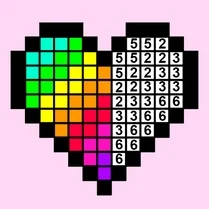 Pixel: Coloring Game for Girls
 Color by Number: Online!
 The best Mine coloring book
 Diamond Painting by Number