Pixel Art
Pixel Art transforms the classic coloring book into a digital grid-based puzzle. Each image is divided into hundreds of tiny squares, each marked with a number that corresponds to a specific color from your palette. Your task is to tap or click each square to fill it with the correct color, gradually revealing a beautiful pixelated picture. The game offers a vast library of images, from cute animals and delicious food to iconic characters and breathtaking landscapes, ensuring there's always something new to create. Beyond the simple mechanics, Pixel Art serves as a calming escape from the hustle of daily life. The repetitive, focused action of coloring squares can be surprisingly meditative, helping you unwind and clear your mind. Whether you have a few minutes during a break or want to spend an hour meticulously crafting a masterpiece, the game adapts to your pace. With intuitive controls and a soothing soundtrack, Pixel Art is more than just a game—it's a digital sanctuary for creativity and mindfulness.
 WaffleMath
Common Core State Standards
Every game supports specific Common Core standards. Browse the full standards library.
Practice by Skill
Games by Grade
What is Pixel Art
Unwind and unleash your inner artist with Pixel Art, a relaxing grid-coloring game that turns numbers into stunning visuals. Perfect for quick breaks or lengthy sessions, it's a delightful way to engage your mind.
How to Play
Select an image from the library, then tap or click on the numbered squares to fill them with the matching colors from the palette. Use the zoom feature for finer control on complex designs.
Tips for Playing
- Start with smaller, simpler images to get the hang of the controls.
- Zoom in on the grid to easily see the numbers on small squares.
- Work from one corner or edge to avoid missing any squares.
- Use the color hint tool if you're stuck or want to speed up the process.
- Take breaks if you're going for a large, detailed piece to keep your focus sharp.
Frequently Asked Questions
Is Pixel Art suitable for all ages?
Yes, Pixel Art is designed to be intuitive and accessible for players of all ages. The gameplay is simple, and the difficulty scales with the complexity of the chosen image.
Do I need to download anything to play?
No, the game runs directly in your web browser, so there's no installation required. You can jump right into coloring from any device with an internet connection.
Can I play Pixel Art on my mobile device?
Absolutely. Pixel Art is optimized for touchscreens, so you can enjoy coloring on your smartphone or tablet as well as on your computer.
Are there new images added regularly?
Yes, the game's library is frequently updated with new pictures to keep your creativity flowing. You'll always find fresh content to color.
What happens if I make a mistake while coloring?
You can easily undo your last action or use the eraser tool to correct any misplacements. This ensures your final artwork looks perfect.
Can I save and share my creations?
Yes, after completing a piece, you can save your artwork and share it with friends on social media to show off your pixel-art skills.
Related Art Coloring Games

 The best Mine coloring book
 Chill Pixel: Paint by Numbers
 Cross Stitching: Minecraft
 Paint by Number
 ASMR coloring book- Draw and Color
 Colorize - Coloring by Number
 Among Us: Survival Coloring
 Pixely - Color by number
 Anime: Paint by Numbers
 ASMR Coloring Pages & Drawing
 Phone Case Coloring & Design - Casual DIY Game
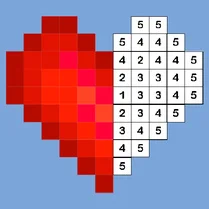 Big coloring by numbers
 Mandala Coloring Book
 Antistress coloring page
 Brainrot: coloring
 Wonder Coloring. FNAF Freddy
 Coloring book: Minecraft
 Brawl Stars Coloring book