Brainrot: coloring
Brainrot: coloring flips the usual arcade formula on its head, trading high scores and timers for a soothing digital canvas. The game presents a library of line art ranging from simple shapes to complex patterns, each waiting for your color choices. With an intuitive palette and adjustable brush sizes, you can fill spaces precisely or let your strokes wander freely, making the process as mindful or as playful as you like. The minimalist interface keeps distractions at bay, letting the act of coloring become the main event. Beyond the core coloring, the game encourages experimentation with color combinations and shading techniques. Every finished piece can be saved, turning your session into a personal gallery of mini artworks. The arcade twist comes from the challenge of completing pages efficiently, but the pressure stays gently in the background. Whether you have five minutes between tasks or an hour to unwind, Brainrot: coloring offers a quiet, satisfying escape with no complicated rules and no failure states—just color, creativity, and calm.
 WaffleMath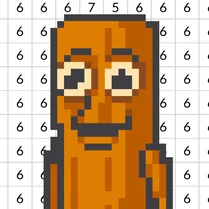
Common Core State Standards
Every game supports specific Common Core standards. Browse the full standards library.
Practice by Skill
Games by Grade
What is Brainrot: coloring
Brainrot: coloring is a mellow arcade experience where you pick a picture, choose your hues, and fill it in at your own pace. It is a low-pressure space for casual creativity and stress relief.
How to Play
Select a coloring page from the library, then tap or drag on the areas you want to paint using the color swatches displayed on screen. Adjust the brush size as needed, and use the undo button to correct any slips.
Tips for Playing
- Start with lighter colors first to build a base, then layer darker shades for depth.
- Use the zoom feature to color tiny details without going over the lines.
- Try complementary color pairs like blue and orange for a vibrant contrast.
- If you make a mistake, use the undo button immediately rather than painting over the error.
- Take breaks between pages to keep your eyes fresh and your strokes steady.
Frequently Asked Questions
Can I save my colored images?
Yes, the game lets you save your finished artworks to your device, so you can keep or share them.
Is there a time limit in the game?
No, there is no time limit. You can color each page for as long as you want without any pressure.
How many coloring pages are available?
The game includes a variety of pages, and new ones are added regularly to keep the collection fresh.
Can I undo a color fill?
Yes, there is an undo button that removes your last action, which is handy for fixing mistakes.
Does the game work on mobile devices?
Yes, the game is designed to work on both desktop and mobile browsers, with touch controls for phones and tablets.
Are there any hints for difficult sections?
While there are no hints, you can zoom in on tricky areas and use the undo tool to refine your work.
Related Art Coloring Games

 Mandala Coloring Book
 Simple Sketch! ASMR Art Coloring
 Cartoon coloring book
 Wool Coloring
 Сoloring anime
 Simple Sketch 2! ASMR Art Coloring
 The best Mine coloring book
 Paint by Number
 Tap Gallery
 ASMR coloring book- Draw and Color
 Color Story - paint journey
 ASMR Coloring Pages & Drawing
 Phone Case Coloring & Design - Casual DIY Game
 Big coloring by numbers
 Antistress coloring page
 Tap To Color: Painting Book
 Brawl Stars Coloring book
 Chill Pixel: Paint by Numbers