Neon Dash: Maker Deluxe
Neon Dash: Maker Deluxe flips the classic runner formula by putting level creation at its core. You begin by sprinting through a series of vibrant, hand-crafted stages that test your timing with jumps, slides, and quick direction changes. Every course is a mix of glowing lanes, moving hazards, and tight corridors that demand focus and quick reflexes. The game keeps you on edge with a pulsing electronic soundtrack and fast-paced momentum that never lets you relax. What sets this apart is the built-in level editor. After you get a feel for the mechanics, you can switch to creation mode and build your own stages from a palette of neon blocks, spikes, and lasers. Once you finish crafting a course, you can share it with the community and play through others' creations. This turns the game into an endless loop of play, create, and challenge your friends to beat your hardest designs.
 WaffleMath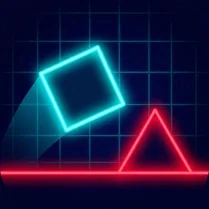
Common Core State Standards
Every game supports specific Common Core standards. Browse the full standards library.
Practice by Skill
Games by Grade
What is Neon Dash: Maker Deluxe
Neon Dash: Maker Deluxe combines high-speed running with a powerful level designer. Create your own gauntlets or conquer the community's toughest creations.
How to Play
Use the arrow keys or on-screen controls to move, jump, and slide through each level. Avoid obstacles and reach the endpoint to complete a course, then use the editor to build and publish your own stages.
Tips for Playing
- Look ahead and time your jumps early to clear wide gaps.
- Slide under lasers just as they flash to avoid getting caught.
- Test your custom levels frequently to spot unfair placements.
- Use a steady rhythm to match the moving platforms' patterns.
- Study other players' levels to discover new design tricks.
Frequently Asked Questions
Can I play levels made by other players?
Yes, all user-created levels are shared in a community hub where you can browse, play, and rate them.
How do I access the level editor?
From the main menu, select the 'Editor' option to start a new level and place obstacles from the available blocks.
Is there a difficulty curve in the built-in levels?
The pre-made levels start simple and gradually introduce new mechanics and faster sequences.
Can I save my progress?
The game automatically saves your unlocked levels and any custom stages you create.
What happens if I get stuck on a user level?
You can skip a level at any time and return to it later, or try another one from the hub.
Are there any rewards for completing levels?
Completing levels earns stars and unlocks new visual themes and components for your own designs.
Related Runner Games
 Slope
Slope Happy Wheels
 Geometry Vibes
 Geometry Dash: Super Editor
 Geometry Dash Editor
 Geometry Dash: Wave Editor
 Geometry Dash: Black Wave
 Obby: Mega Parkour
 Geometry Dash: Make your level with a wave
 Geometry Dash UFO: Create your own level
 Only Down Extreme Parkour
 The Geometry Dash Sandbox
 Collect All the Money and Get Rich: Runner
 Geometry Dash: Make a map with a jetpack
 Neon Obby: Parkour
 Down the stairs
 Geometry Dash: Swing Copter Editor
 Obby Only Forward