Rubik
Rubik is a digital take on the legendary mechanical brain teaser that has fascinated players for decades. Instead of a physical toy, you get a clean on-screen cube with six faces, each covered in colored squares that scramble as you rotate the layers. The objective remains as pure as ever: turn the faces until every side shows a single solid color. What looks simple at first quickly reveals its depth, as each twist affects multiple faces simultaneously, forcing you to think several moves ahead. The experience is designed for short, focused play sessions, making it an ideal companion during breaks or whenever you want to challenge your spatial reasoning. There is no timer pressuring you, so you can experiment freely with different sequences and strategies. Whether you are a total newcomer picking up a cube for the first time or a seasoned solver aiming for faster completions, the game offers a comfortable environment to practice and improve. Its straightforward controls and responsive interface ensure that you spend your time solving, not fighting with the mechanics.
 WaffleMath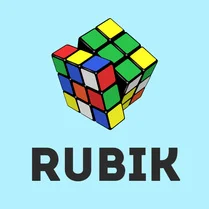
Common Core State Standards
Every game supports specific Common Core standards. Browse the full standards library.
Practice by Skill
Games by Grade
What is Rubik
Rubik brings the timeless challenge of the classic puzzle cube to your browser, letting you twist and turn its layers to restore order to its scrambled colors.
How to Play
Use your mouse to click and drag on the cube to rotate individual layers either horizontally or vertically. Your goal is to manipulate the cube until each of its six faces displays a uniform color.
Tips for Playing
- Start by solving one face completely, then work outward from there to avoid breaking your progress.
- Learn a few basic algorithms to move pieces without disturbing already solved sections.
- Keep the cube oriented consistently so you can track which color belongs on which side.
- Take advantage of the undo feature to step back when a sequence goes wrong.
- Practice regularly to build muscle memory for common move patterns.
Frequently Asked Questions
Is there a timer in the game?
No, the game does not include a timer, so you can solve the cube at your own pace without any pressure.
Can I undo a move?
Yes, there is an undo button that lets you reverse your last action, which is useful when you make a mistake.
How do I rotate a layer?
Click and drag on the cube. Dragging horizontally rotates the top or bottom layer, while dragging vertically rotates the left or right layer.
What is the goal of the game?
The goal is to twist and turn the cube until each of its six faces shows a single solid color.
Does the game work on mobile devices?
Yes, the controls are touch-friendly, so you can play on smartphones and tablets as well as desktops.
Can I scramble the cube manually?
You can scramble it by making random moves, but there is also a shuffle button that mixes it up for you.
Related Puzzle Games

 Minesweeper
 Minesweeper classic
 Sudoku
 Minesweeper Infinite
 Pentomino
 Connect Puzzles Classic
 Sudoku Guru - classic sudoku
 Minesweeper Classical
 Minesweeper Master
 Unblock the Cube: Puzzle
 Minesweeper Classic Games
 Block Puzzle Classic
 Minesweeper 98
 Sudoku Classic
 Sudoku classic (9)
 Sudoku classic master
 Sudoku: Classic Puzzles
 Sudoku Master - classic Sudoku