Minesweeper Classic Games
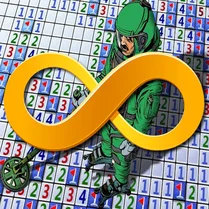
Minesweeper Classic Games brings the timeless brain teaser to your browser, challenging you to clear a minefield without triggering any booby traps. The grid hides a set number of mines, and each number you reveal tells you how many are lurking in the eight adjacent cells. It's a pure test of deduction, pattern recognition, and a touch of careful guesswork when the odds tighten. Whether you have a few minutes to spare or want to settle in for a longer session, this version offers adjustable difficulty—from a gentle beginner grid to expert layouts that demand sharp focus. The clean interface and responsive controls make it easy to start, pause, and resume, so you can enjoy the game at your own pace. Perfect for puzzle enthusiasts and newcomers alike, it's a straightforward yet endlessly engaging experience that sharpens your logic with every play.
 WaffleMath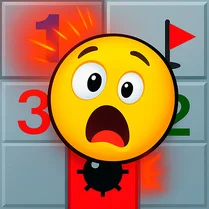
Common Core State Standards
Every game supports specific Common Core standards. Browse the full standards library.
Practice by Skill
Games by Grade
What is Minesweeper Classic Games
Minesweeper Classic Games is a faithful rendition of the beloved logic puzzle that has challenged players for decades. Carefully deduce where the mines hide, flag the dangerous spots, and clear the grid to win.
How to Play
Left-click a tile to reveal what's underneath, and right-click to place a flag on tiles you suspect hold a mine. Use the numeric clues to figure out which neighboring squares are safe to open next.
Tips for Playing
- Start with a corner or edge click to open up a larger safe area.
- Flag every mine you identify—it helps keep your mental map clear.
- Look for a 1 with no flagged neighbors—every adjacent tile is safe.
- When a number matches the count of flagged neighbors, click its surrounding tiles to clear them quickly.
- If you're stuck, save a guess for the end; rely on logic as long as possible.
Frequently Asked Questions
How do you win at Minesweeper Classic Games?
You win by revealing all non-mine tiles on the grid without clicking on a mine. Flag every mine you find to avoid accidental detonation.
What do the numbers on the tiles mean?
Each number indicates how many mines are in the eight adjacent cells, including diagonals. Use this to deduce which tiles are safe to open.
Can I change the difficulty level?
Yes, the game offers multiple board sizes and mine counts, ranging from smaller, simpler grids to larger, expert challenges.
What happens if I click on a mine?
The game immediately ends and reveals all the mines on the board. You can restart the same level to try again.
Is there a timer in the game?
Yes, a timer tracks your progress while you play. Faster clear times are a fun way to measure your skill, but you can play at your own pace.
Do I need to download anything to play?
No, the game runs directly in your browser—no downloads or installations are required. It's instantly accessible whenever you want a quick puzzle fix.