Pixamator (Pixel Animator 2)
Pixamator (Pixel Animator 2) is a lightweight browser-based animation suite that turns your device into a digital canvas. It strips away complexity, giving you a clean grid, an assortment of drawing implements, and a timeline that makes frame-by-frame animation approachable for beginners and satisfying for seasoned pixel artists. The interface feels more like a sketchbook than a technical tool, letting you focus on creativity rather than menus. You can start from a blank slate or use the built-in templates to sketch characters, objects, or scenes. The palette system helps you maintain consistent color schemes, while the onion-skin preview lets you see previous frames as ghosted images, making movement smooth and deliberate. Whether you're prototyping a game character or simply exploring animation, the workflow encourages experimentation and quick iteration. When you're done, you can export your work as a GIF to share with the community.
 WaffleMath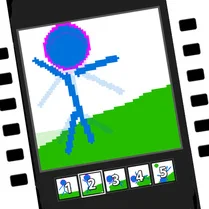
Common Core State Standards
Every game supports specific Common Core standards. Browse the full standards library.
Practice by Skill
Games by Grade
What is Pixamator (Pixel Animator 2)
Pixamator (Pixel Animator 2) is an arcade-style pixel art tool that lets you create and animate sprites directly in your browser, with no setup required.
How to Play
Use your mouse or touch to pick colors from the palette and draw on the grid. Add frames using the timeline, then play them back in a loop to see your animation in motion.
Tips for Playing
- Start with a small canvas size (like 16x16) to learn the basics before scaling up.
- Use the onion-skin feature to align your next frame with the previous one for smoother motion.
- Limit your palette to a few colors to keep your sprite cohesive and readable.
- Plan your animation loop in advance—know where the start and end points will meet.
- Experiment with different brush sizes to add detail or fill large areas quickly.
Frequently Asked Questions
Is Pixamator (Pixel Animator 2) free to use?
Yes, the game is completely free to play in your browser, with no downloads or hidden costs.
Can I save or export my animations?
Yes, you can export your finished animations as GIF files, which you can then download and share.
Do I need any drawing skills to use it?
No, the tools are intuitive, and you can start with simple shapes or use the provided templates to learn.
Can I use this on a touchscreen device?
Yes, the game is fully compatible with touchscreens, allowing you to draw with your finger or stylus.
Is there a way to undo mistakes?
Yes, there's an undo option that lets you revert your last action, so you can fix errors easily.
Does the game work offline?
No, you'll need an internet connection to access and play the game in your browser.
Related Art Coloring Games
 Draw Pixel Soldiers!
 Draw with Blocks!
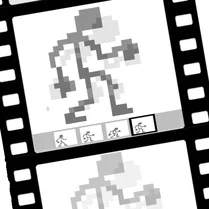 Pixel Animator: creating GIF animation
 Pixel Craft: Repeat the Drawing
 Pixel Draw
 Racer Drawing Path
 Crossy Road
 Pixel Gun
 Save My Pet
 Terraria Playground
 Geometry Dash 3D: Build a level
 Draw Joust!
 Draw Perfect Circle
 Little Alchemy 2
 Pencil Jam
 Quick, Draw!
 Color by Number: Online!
 Paint.io