Pixel Animator: creating GIF animation
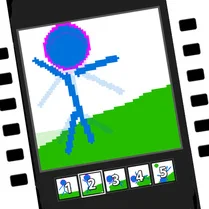
Pixel Animator is a creative sandbox that puts the power of traditional animation in your hands. Instead of playing a game with set goals, you become the artist, using a simple but deep toolset to draw each frame of your animation. The interface is clean and uncluttered, letting you focus on the art. You pick colors, sketch out your sprites, and then watch them move as you cycle through your frames. It's a fantastic way to learn the basics of animation timing and motion, all through a nostalgic pixel art lens. There's no pressure here. You can start with a simple bouncing ball or dive into a complex character walk cycle. The real-time preview means you always see how your frames flow together, making it easy to tweak and refine. Whether you're a seasoned pixel artist or just curious about how animations are made, this tool offers a satisfying and creative way to spend your time. The only limit is your imagination, and the result is a shareable GIF that you can keep.
 WaffleMath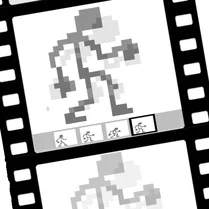
Common Core State Standards
Every game supports specific Common Core standards. Browse the full standards library.
Practice by Skill
Games by Grade
What is Pixel Animator: creating GIF animation
Step into the role of an animator and bring your pixel art to life. This tool offers a simple yet powerful canvas for creating frame-by-frame animations directly in your browser.
How to Play
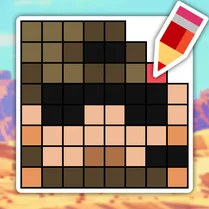
Use the drawing tools to create your first frame on the grid, then add new frames and draw the next positions. Hit the play button to see your animation loop, and refine each frame until it looks just right.
Tips for Playing
- Start with a simple shape, like a bouncing ball, to get the hang of frame-by-frame motion.
- Keep your drawings on separate layers if the tool supports it, to make editing easier.
- Use onion skinning to see the previous frame as a ghost, helping you create smooth transitions.
- Experiment with different frame delays to adjust the speed and feel of your animation.
- Plan your animation on paper first to save time and avoid getting stuck.
Frequently Asked Questions
Can I save my animations?
Yes, you can export your finished animation as a GIF file, which you can download and share.
Is Pixel Animator suitable for beginners?
Absolutely. The interface is straightforward, and you can start with simple drawings. It's a great way to learn animation basics.
What are the main drawing tools?
You'll typically have a pencil, eraser, fill bucket, and color picker, along with options to adjust brush size.
Can I change the canvas size?
Yes, you can often adjust the canvas dimensions to suit your project, from small sprites to larger scenes.
How do I make my animation loop smoothly?
Ensure the first and last frames transition well, and use onion skinning to align your drawings. Adjust frame timing for a consistent pace.
Does it work on mobile devices?
It should run in any modern web browser, but for best experience, a desktop or tablet with a mouse or stylus is recommended.