Racer Drawing Path
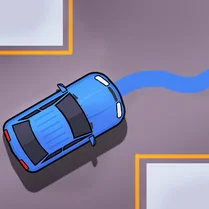
Racer Drawing Path turns the classic racing formula on its head by putting the track design directly into your hands. Instead of following predefined routes, you sketch the course with your finger or mouse, then watch your car zoom along the path you've created. Each lap tests not only your driving reflexes but also your ability to craft a route that's both fast and manageable. The game rewards creative thinking, as a poorly drawn curve can send you spinning, while a smooth, well-planned line lets you glide to victory. As you progress, the challenge intensifies with tighter corners and obstacles that appear on your canvas. You'll need to balance ambition with practicality, deciding whether to draw a daring shortcut or a safer, more reliable path. The clean, minimalist visuals keep the focus on the core mechanic, while the satisfying physics make every turn feel responsive. Whether you're a casual player looking for a quick diversion or a racing enthusiast eager to test your track-building skills, this game offers a fresh perspective on the genre.
 WaffleMath
Common Core State Standards
Every game supports specific Common Core standards. Browse the full standards library.
Practice by Skill
Games by Grade
What is Racer Drawing Path
Forget fixed circuits—here, your imagination paves the road. Sketch a line, hit the gas, and see if your route holds up under speed.
How to Play
Drag on the screen to draw a track path, then release to start the race. Steer your car along the drawn line, avoiding obstacles, and reach the finish to complete the lap.
Tips for Playing
- Keep your curves wide to maintain speed and avoid drifting off the road.
- Draw straighter sections before sharp turns to build up momentum.
- Plan your route to avoid obstacles—sometimes a longer path is safer.
- Practice on your own tracks to learn how your car handles different angles.
- If you spin out, redraw the tricky section with a smoother line.
Frequently Asked Questions
How do I start a race in Racer Drawing Path?
After drawing your track on the screen, release the draw command to place the car at the start. The race begins automatically, and you control the car's steering along the line.
Can I customize the track during a race?
No, you must finish drawing before the race starts. However, you can restart and draw a new path at any time.
What happens if my car goes off the drawn path?
The car may slow down or become uncontrollable, and you might have to restart the lap. Keeping your line smooth and within the road's width is key to staying on track.
Are there different difficulty levels?
The game gradually increases challenge by adding more obstacles and complex terrain, but the core mechanic remains the same—drawing your own path.
Is Racer Drawing Path available on mobile devices?
Yes, the game is designed to work with touch controls, so you can draw and race on both desktop and mobile browsers.
What is the best strategy for winning?
Focus on creating a balance between short cuts and drivable curves. A track that is too twisty will slow you down, while one that is too simple may not be fast enough.
Related Racing Games
 Draw The Hill
 Pencil Jam
 Draw Crash Race: Stunt Race
 Draw Car Race
 Draw Drive
 ASMR coloring book- Draw and Color
 Geometry Pencil
 Paint
Paint Draw Road for Car
 Draw The Car Path
 ASMR Coloring Pages & Drawing
 Art Studio Playground Sandbox
 Draw One Line: Drawing Puzzle
 Draw fruits!
 Digital Artist
 DOP Complete the Drawing
 Draw a weapon
 Draw Defence