Draw Crash Race: Stunt Race
Draw Crash Race: Stunt Race turns paper-and-pen imagination into a full-blown driving adventure. Instead of following a fixed circuit, you become the track designer: sketch a route across a blank canvas, adding steep hills, banked turns, and precarious gaps that demand both creativity and precision. Once your layout is ready, you hop behind the wheel and experience the consequences of your drawing choices in real time, as the car's momentum and traction react to every curve and bump. The game's charm lies in its blend of freeform level editing and reactive gameplay. No two runs are alike because you can always tweak your sketch, layering in new obstacles or smoothing out tricky sections. Crashes are part of the fun—each spill offers a lesson in physics, pushing you to refine your design and braking points. Whether you're perfecting a loop-the-loop or building a series of hairpin turns, this title rewards experimentation and invites you to test both your drafting and driving skills in one satisfying package.
 WaffleMath
Common Core State Standards
Every game supports specific Common Core standards. Browse the full standards library.
Practice by Skill
Games by Grade
What is Draw Crash Race: Stunt Race
Design your own stunt track, then race through your creation in a physics-driven test of balance and nerve. Every line you draw becomes a real challenge to master.
How to Play
Use your finger or mouse to draw the track on the provided space, shaping the road with ramps, curves, and obstacles. After finishing your sketch, tap the drive button to control your vehicle through the course using on-screen steering and throttle inputs.
Tips for Playing
- Keep the track wide in tight turns to avoid clipping the edge and losing speed.
- Place ramps at gentle angles to reduce the chance of flipping your car mid-air.
- Draw smooth, gradual curves instead of sharp zigzags for better control.
- Test your layout once, then adjust trouble spots based on where you crashed.
- Balance speed and caution: fast sections are fun, but a safe approach wins the race.
Frequently Asked Questions
Can I save my custom tracks?
Yes, the game typically lets you save your drawn layouts so you can revisit and refine them later. Check the pause or menu options for a save feature.
What happens if my car falls off the track?
Your car will crash and respawn at the last safe point, often costing you time. You can then edit the track or try again with a different approach.
Is there a limit to how complex I can make the track?
Most versions allow a considerable amount of drawing space, but extremely dense or overlapping lines might be simplified by the game engine. It's best to keep the design readable.
Can I play with a keyboard or only touch controls?
Controls vary by platform—on desktop, keyboard arrows or mouse input are common, while mobile uses touch gestures. The menu usually shows the supported input method.
Are there pre-made tracks if I don't want to draw?
Yes, the game often includes a selection of built-in tracks for you to race on instantly. You can choose to draw your own or start with these default courses.
Related Racing Games
 Drive Mad
 Stunt Car Simulator 3D
 Draw The Hill
 Surfing by car 3D
 Draw Sprunki car with physics!
 Car Parkour
 Crash - Test Simulator and Car Stunts
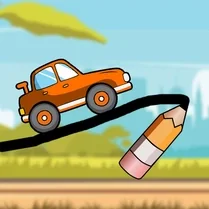 Draw The Car Bridge
 Extreme Car Driving Simulator
 Hyper Cars Ramp Crash
 Parkour Car Destruction
 Crazy Cars
 Moto X3M 2
 Battle Wheels
 Extreme Drift
 Eggy Car
 Save My Pet
 Crash Simulator Multiplayer