Art Studio Playground Sandbox
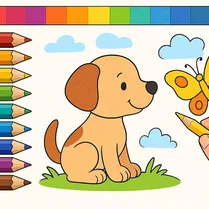
Art Studio Playground Sandbox is an action-packed creative space that puts a full digital art kit at your fingertips. Instead of following quests or battling foes, you dive straight into a responsive canvas where every stroke, stamp, and swirl reacts instantly. The game is designed for spontaneous expression, making it easy to switch between brushes, palettes, and effects as ideas strike. Whether you're filling a blank page with bold shapes or layering delicate lines, the interface stays out of your way, letting pure creativity take the lead. This sandbox thrives on flexibility. You can start with a rough idea, then refine it with zoom controls, undo options, and a range of color densities. There are no timers, scores, or objectives to worry about, so the pace is entirely your own. It's a satisfying escape for anyone who enjoys making something from nothing, and the lightweight design means you can jump from a quick sketch to a detailed piece without friction. The goal is simple: have fun turning thoughts into visuals.
 WaffleMath
Common Core State Standards
Every game supports specific Common Core standards. Browse the full standards library.
Practice by Skill
Games by Grade
What is Art Studio Playground Sandbox
Pick up a virtual brush and let your imagination run wild on an endless canvas. This sandbox gives you the freedom to create without rules or pressure.
How to Play
Select a tool from the toolbar, choose your color and size, then click and drag on the canvas to draw. Use the eraser or undo button to fix mistakes, and the clear button to start fresh.
Tips for Playing
- Use the zoom feature to add fine details to your artwork.
- Experiment with different brush sizes for varied line thickness.
- Layer different colors to create depth and shadows.
- Save your work regularly if the game offers a gallery.
- Try the stamp tool for quick patterns and textures.
Frequently Asked Questions
Can I save my artwork?
Many versions of this game allow you to export or save your creation as an image file. Check the options menu for a save or download button.
Is this game suitable for kids?
Yes, it's designed to be intuitive and safe for all ages, with no inappropriate content or external links.
Do I need to download anything to play?
No, the game runs directly in your web browser without any plugins or downloads needed.
Can I use a touchscreen device?
Absolutely. The game supports touch input, so you can draw with your finger or a stylus on tablets and smartphones.
Are there any in-game purchases?
The core experience is free with all tools available. Some versions might offer optional extras, but they're never required to enjoy the game.
What if I make a mistake while drawing?
You can use the undo button to revert your last action, or the eraser tool to manually remove parts you don't like.