Hand-drawn Savior 2D!
Hand-drawn Savior 2D! turns the simple act of drawing into the core of its puzzle design. Each level presents a scene where characters are stuck in precarious spots, and your only tools are your imagination and a virtual pencil. Sketched lines become solid structures that interact with gravity, momentum, and the environment, encouraging experimentation and creative problem-solving. The game’s hand-crafted, crayon-like art style gives it a warm, storybook feel, making every rescue attempt feel personal and rewarding. As you progress, the challenges grow more intricate, introducing new elements like pivoting planks, sliding blocks, and moving hazards. The physics engine responds realistically to your drawings, so a perfectly angled ramp can send a character gliding to safety, while a hasty bridge might collapse under weight. With dozens of levels and a gentle learning curve, Hand-drawn Savior 2D! offers a relaxing yet mentally stimulating experience for puzzle enthusiasts of all ages. It’s about visualizing a path, sketching it into existence, and watching the little heroes you’ve drawn reach their goal.
 WaffleMath
Common Core State Standards
Every game supports specific Common Core standards. Browse the full standards library.
Practice by Skill
Games by Grade
What is Hand-drawn Savior 2D!
Put your problem-solving skills to the test in Hand-drawn Savior 2D!, where every stroke of your pencil can change the outcome. Sketch clever contraptions and guide your tiny friends to safety in this physics-driven puzzle adventure.
How to Play
Draw lines and shapes with your mouse or finger to create platforms, ramps, and levers that alter the environment. Position your drawings strategically to let characters walk, slide, or bounce to the exit zone without falling.
Tips for Playing
- Start each level by studying the layout and where the characters need to go before drawing anything.
- Test one structure at a time; you can always erase and redraw if your initial idea doesn’t work.
- Use gentle slopes instead of steep drops to control momentum and prevent characters from tumbling.
- Draw temporary supports that can be removed later if a character needs to pass through a gap.
- Look for interactive objects like buttons or movable blocks that can be activated with your drawings.
Frequently Asked Questions
How do I control the drawing in Hand-drawn Savior 2D?
You use your mouse or touchscreen to draw lines and shapes on the canvas. Simply click and drag to sketch, then release to confirm the drawing.
Can I erase a drawing if I make a mistake?
Yes, most levels allow you to erase or reset your drawings. Look for an eraser tool or a reset button to clear your lines and try again.
What happens if a character falls off the screen?
If a character falls into a pit or off the level, you can restart the level or reset your drawings. The character will return to its starting position, so you can adjust your strategy.
Are there different types of drawing tools or materials?
As you progress, you may unlock new drawing styles that affect physics, such as bouncy or sticky surfaces. Each level tells you which tools are available.
Is the game suitable for children?
Yes, the game is family-friendly with simple controls and gentle challenges. Younger players might need help with some advanced puzzles, but the intuitive mechanics make it accessible.
How many levels are in the game?
The game includes a large selection of hand-crafted levels, with more added periodically. Each level introduces a new mechanic or variation, keeping the experience fresh.
Related Puzzle Games
 Save My Pet
 Draw 2 Save - Stickman Rescue
 Brain It On
 Draw The Bridge
 Draw Crash Race: Stunt Race
 Happy Glass 2 - Draw to FIll
 Draw The Hill
 Draw The Bike Bridge
 Draw Action
 Happy Glass Online
 Save the Doge
 Draw to save Stickman
 Draw The Truck Bridge
 Stick: Draw Road
 Draw The Ball Path
 Draw Bridge: Puzzle Challenge
 Pull Him Out
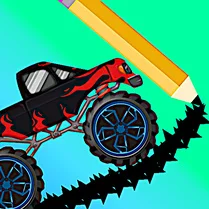 Draw a bridge: Space