Stick: Draw Road
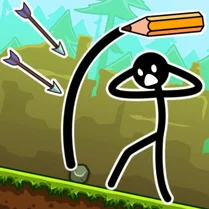
Stick: Draw Road turns your screen into a sketchpad where every line you draw becomes a bridge, slope, or barrier for a tiny stick figure rolling on a ball. The goal is simple: get your character from the start point to the finish flag, but the terrain is full of chasms, spikes, and moving hazards that demand clever linework. As you progress, the levels grow more intricate, pushing you to think ahead and refine your drawing strategy. The game thrives on experimentation—there's no single solution to most routes. You might draw a gentle curve to guide the ball safely, or construct a ramp to launch over a deadly pit. With its minimalist visuals and responsive controls, Stick: Draw Road offers a satisfying blend of creativity and problem-solving that keeps each attempt fresh and engaging.
 WaffleMath
Common Core State Standards
Every game supports specific Common Core standards. Browse the full standards library.
Practice by Skill
Games by Grade
What is Stick: Draw Road
Put your drawing skills to the test as you sketch safe passages for a rolling stick figure. Each level is a blank canvas waiting for your clever route.
How to Play
Press and drag your finger or mouse to draw a line on the screen, creating a path for the stick figure to follow. Release to finalize the drawing, then watch as the character rolls along your route toward the goal.
Tips for Playing
- Draw smooth slopes instead of sharp drops to keep the ball moving steadily.
- Before drawing, study the whole level to spot gaps and hazards so you can plan a complete route.
- For tall obstacles, create a ramp with enough height and angle to launch the character over them.
- Use short lines for precise adjustments on narrow ledges or tight corners.
- If your first attempt fails, watch where the character falls and adjust your path accordingly.
Frequently Asked Questions
How do I control the stick figure?
You don't control the figure directly; instead, you draw lines on the screen that act as roads or ramps. The character automatically rolls along the path you create.
Can I redraw a road if I make a mistake?
Yes, you can clear your drawing and start over as many times as you need before letting the character go. Once the character starts moving, you may have to wait for the run to end before editing.
Is there a time limit in the game?
No, there's no timer, so you can take your time planning and drawing the perfect route for each level.
What happens if the stick figure falls or hits an obstacle?
The character will tumble and the level will restart, allowing you to try again with a new drawing.
Are there multiple solutions to each level?
Yes, many levels can be completed in various ways. Feel free to experiment with different ramp shapes and paths to find what works best.
Does the game work on mobile devices?
Yes, it's designed to work with touch controls, so you can draw with your finger on smartphones and tablets.
Related Puzzle Games
 Draw Action
 Draw The Ball Path
 Call Om Nom!
 Draw 2 Save - Stickman Rescue
 Save My Pet
 Brain It On
 Draw The Bridge
 Draw Crash Race: Stunt Race
 Happy Glass 2 - Draw to FIll
 Draw The Hill
 Draw The Bike Bridge
 Stickman slide down the hill
 Stickman Fight: Ragdoll
 Stick Dismounting!
 Stickman Destruction
 Happy Glass Online
 Stick Biker
 Draw to save Stickman