Ultimate Sudoku
Ultimate Sudoku delivers the timeless logic puzzle in a clean, modern package. Whether you have a few minutes or a couple of hours, the game adapts to your pace. You can choose from easy to expert grids, race against the clock, or play casually without any time pressure. Every puzzle offers a unique solution, ensuring each round feels fresh and rewarding. The interface is straightforward and distraction-free, letting you focus on the numbers. When you get stuck, the hint system gives you a gentle push without revealing the entire solution. There are no accounts to create and no downloads to wait for—just open the game and start placing digits. Perfect for quick mental workouts or deep concentration sessions, Ultimate Sudoku is a reliable companion for puzzle lovers.
 WaffleMath
Common Core State Standards
Every game supports specific Common Core standards. Browse the full standards library.
Practice by Skill
Games by Grade
What is Ultimate Sudoku
Sharpen your mind with a classic Sudoku challenge that fits any schedule. Pick a difficulty, start the timer if you like, and work through each grid at your own pace.
How to Play
Fill each 9x9 grid so that every row, column, and 3x3 subgrid contains the numbers 1 through 9 without repeats. Use the number pad or keyboard to input your guesses and apply hints when needed.
Tips for Playing
- Scan rows and columns first to spot obvious placements.
- Use the pencil marking feature to note possible numbers in each cell.
- Focus on one 3x3 block at a time to narrow down your options.
- When stuck, take a break and return with fresh eyes.
- Start with easier grids to build your technique before moving to expert levels.
Frequently Asked Questions
What difficulty levels are available?
Ultimate Sudoku offers multiple difficulty settings, ranging from easy to expert, so you can gradually increase the challenge.
Is there a timer mode?
Yes, you can enable a timer to track your solving speed, or play without it for a relaxed experience.
How do hints work?
The hint system highlights a correct cell or provides a small nudge, helping you continue without revealing the full solution.
Do I need to create an account?
No account is required. The game loads directly in your browser, so you can start solving immediately.
Can I undo a mistake?
Yes, there is an undo feature that lets you revert your last move if you place a wrong digit.
Does the game work on mobile devices?
The layout is responsive, so you can play comfortably on phones, tablets, and desktop screens.
Related Puzzle Games
 Jigsaw Sudoku
 Anime sudoku
 Daily Sudoku
 Dots Sudoku
 Expert Sudoku
 Mania Sudoku
 Multi Sudoku
 Relaxing Sudoku - Take a Break from the Bustle
 Sudoku
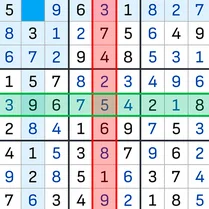 Sudoku Guru - classic sudoku
 2248 Logic Puzzle
 Sudoku Com
 Sudoku - logic game
 Sudoku Master
 Block Puzzle Sudoku
 Block Sudoku Puzzle
 Block Sudoku - relaxing puzzle
 Bulls and Cows: Guess the number