Sudoku Master
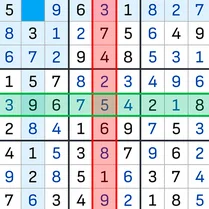
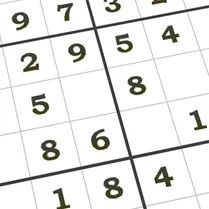
Sudoku Master brings the timeless logic puzzle to your screen with a clean, distraction-free interface that lets you focus on the grid. Whether you're a beginner looking to learn the ropes or a seasoned solver seeking a serious challenge, the game's four difficulty settings—from gentle warm-ups to brutally tough grids—ensure there's always a puzzle that fits your mood. Each game is randomly generated, so you'll never encounter the same board twice, keeping the experience fresh every time you play. The controls are designed for effortless play: click or tap a cell and then select a number from the keypad to fill it in. Helpful features like automatic error detection and a note-taking mode let you pencil in possibilities just like on paper, while the optional timer tracks your solving speed if you want to race against the clock. With its calm aesthetic and satisfying puzzle design, Sudoku Master offers a rewarding mental workout that's perfect for a quick break or a long, focused session.
 WaffleMath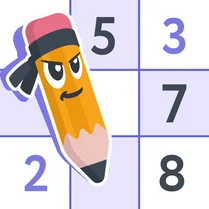
Common Core State Standards
Every game supports specific Common Core standards. Browse the full standards library.
Practice by Skill
Games by Grade
What is Sudoku Master
Dive into a world of numbers where logic rules supreme. Sudoku Master offers a polished and engaging take on the classic puzzle, perfect for sharpening your mind.
How to Play
Fill the 9x9 grid so that every row, column, and 3x3 subgrid contains the digits 1 through 9 without repetition. Tap a cell and choose a number to place it, or use the notes feature to mark possible candidates.
Tips for Playing
- Start with the easiest rows, columns, or boxes that have the fewest empty cells to build momentum.
- Use the notes feature to pencil in possible numbers, which helps you spot patterns and narrow down choices.
- Look for 'naked pairs'—two cells in a unit that share the same two candidates—to eliminate those numbers elsewhere.
- If you get stuck, take a break and return with fresh eyes; a new perspective often reveals the next move.
- Practice regularly on lower difficulties to improve your speed and pattern recognition before tackling expert puzzles.
Frequently Asked Questions
How many difficulty levels are available?
There are four difficulty levels: easy, medium, hard, and expert. They adjust the number of given cells and the complexity of the solving logic required.
Can I play on my mobile device?
Yes, the game is fully responsive and works on both desktop and mobile browsers. Touch controls are optimized for tablets and phones.
Does the game have a timer?
Yes, an optional timer is available to track how long you take to complete each puzzle. You can turn it off if you prefer a relaxed experience.
What happens if I make a mistake?
The game automatically highlights incorrect entries with a red color. You can easily correct them by selecting a different number for that cell.
Is there a hint feature?
Yes, you can use hints to reveal a correct number in a selected cell. However, hints are limited, so use them wisely.
Are the puzzles randomly generated?
Yes, each puzzle is generated on the fly, ensuring a unique grid every time you start a new game, even at the same difficulty level.