Sudoku Retro
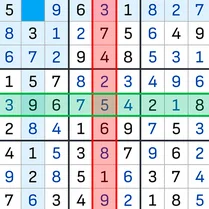
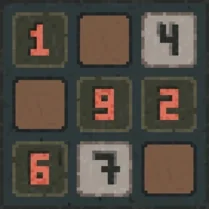
Sudoku Retro offers a nostalgic twist on the beloved logic puzzle, featuring a pixelated, old-school design that evokes the golden age of arcade gaming. The interface is clean and uncluttered, letting you focus on the mental workout. With a range of difficulty levels, from gentle warm-ups to brain-bending conundrums, there's something for both newcomers and seasoned solvers. Each puzzle is a battle of wits, where careful deduction and strategic elimination are your best weapons. The simple click-to-select and type-to-fill controls make it easy to dive in, while the retro color scheme keeps your eyes comfortable during long play sessions. Whether you're killing a few minutes or settling in for a marathon, Sudoku Retro delivers that satisfying "aha!" moment with every solved grid.
 WaffleMath
Common Core State Standards
Every game supports specific Common Core standards. Browse the full standards library.
Practice by Skill
Games by Grade
What is Sudoku Retro
Put your logic to the test in a pixel-perfect puzzle experience. Sudoku Retro is here to bring you classic number placement fun with a charming vintage vibe.
How to Play
Select an empty cell and choose a number from 1 to 9 to fill it. Ensure that each number appears only once in its row, column, and 3x3 block to complete the puzzle.
Tips for Playing
- Start with the easiest numbers by scanning rows and columns for obvious placements.
- Use pencil marks (notes) for possible candidates in each cell to narrow down options.
- Focus on one 3x3 block at a time to detect hidden singles.
- When stuck, revisit rows, columns, and blocks you've partly filled to spot new deductions.
- Take breaks if you feel frustrated; a fresh perspective often reveals the answer.
Frequently Asked Questions
What is the goal of Sudoku Retro?
Fill the entire 9x9 grid with numbers 1 through 9 so that each row, column, and 3x3 subgrid contains all digits exactly once.
How do I start a new puzzle?
You can begin a new game by selecting a difficulty level and pressing the 'New Game' button on the main menu.
Can I undo a mistake?
Yes, there is an undo button that lets you revert your last action, helping you correct errors without restarting the puzzle.
Are there hints available?
If you're stuck, the hint feature highlights a correct number placement, giving you a nudge in the right direction.
Does the game track my best times?
Yes, Sudoku Retro saves your fastest completion times for each difficulty level, encouraging you to improve your speed.