Sprunki Fundamental Paper Education Draw the Path
Step into a whimsical notebook world where every level is a fresh sheet of paper waiting for your creative touch. Your mission is simple: draw lines that transform into sturdy platforms, smooth ramps, and clever bridges. These structures guide Sprunki, a charming little character, as it rolls and bounces toward the exit. The game blends artistic freedom with brain-teasing logic, rewarding players who think beyond the obvious stroke. As you progress, the puzzles grow more intricate, demanding precise timing, well-angled lines, and a keen sense of momentum. Each stage presents a new spatial conundrum, encouraging experimentation and clever drafting. With its clean, hand-drawn aesthetic and satisfying physics, this title offers a delightful twist on the classic path-drawing genre. Whether you're a puzzle enthusiast or a casual player, you'll find endless enjoyment in shaping the world with just a swipe of your cursor or finger.
 WaffleMath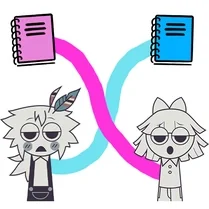
Common Core State Standards
Every game supports specific Common Core standards. Browse the full standards library.
Practice by Skill
Games by Grade
What is Sprunki Fundamental Paper Education Draw the Path
Sprunki Fundamental Paper Education Draw the Path invites you to doodle your way through a series of clever paper-based puzzles. Sketch routes and watch your scribbles come alive as functional ramps and bridges.
How to Play
Drag your mouse or finger across the screen to draw lines on the paper levels, then release to make them solid. Sprunki will automatically move along the paths you create, so focus on guiding it safely to the goal without falling off the edges.
Tips for Playing
- Draw longer, gradual slopes instead of steep drops to maintain control over Sprunki's speed.
- Anticipate where Sprunki will land and pre-draw a landing ramp to prevent it from bouncing off-screen.
- Reuse the same line for multiple purposes, like a bridge that also acts as a barrier to block falling objects.
- Experiment with drawing curved lines for smoother turns and better momentum conservation.
- Pause and visualize the entire route before making your first stroke to avoid wasting time on trial and error.
Frequently Asked Questions
How do I draw paths in the game?
Simply press and hold the mouse button or touch the screen, then drag to create a line. Release to finalize the path, and Sprunki will begin moving along it.
Can I undo a drawing if I make a mistake?
Yes, there is usually an undo button or a way to clear the current drawing. Look for a reset icon on the screen or use the undo shortcut to remove your last stroke.
What happens if Sprunki falls off the paper?
If Sprunki falls off the edges, the level restarts. You will need to redraw your paths and try again, so be cautious when planning your routes.
Are there different types of paper surfaces?
Yes, some levels feature special paper surfaces that affect physics, such as slippery or bumpy textures. These add extra challenges and require adaptive drawing strategies.
Is there a limit to how many lines I can draw?
There is typically a limit on the number of lines or total length you can draw per level, encouraging efficient and thoughtful solutions.
Does the game support touch controls?
Absolutely, the game is fully playable with touch controls on tablets and phones, allowing you to draw directly with your finger for a more intuitive experience.
Related Puzzle Games

 Draw Action
 Stick: Draw Road
 Draw The Ball Path
 Sprunki Schoolboy Draw the Path
 DOP Draw Sprunki
 Ragdoll Sprunky: Spider Playground
 Sprunki Action Playground: Ragdoll Sandbox
 Sprunki Pogo Stick Obby 3D
 Sprunki Christmas Draw the Path
 Sprunki Incredibox Draw Path
 Sprunki Sandbox: Ragdoll Playground Mode
 Sprunki Secret Ragdoll
 Draw Sprunki car with physics!
 Sandbox Playground: Sprunki
 Sprunki Playground Mod - Ragdoll Sandbox
 Sptunki Hit the Bone
 Sprunki Ragdoll: Box 3D
 Call Om Nom!