Parking Star 3D: Downtown Clash
Downtown Clash drops you into the heart of a busy city with a simple mission: park your car perfectly in a variety of tough spots. Each level presents a new parking puzzle, with narrow alleys, crowded lots, and moving traffic adding to the pressure. The game's realistic physics mean you'll feel every bump and scrape, but nailing that spot is pure satisfaction. As you progress, the challenges grow more complex, testing your control and spatial awareness. With a star-based rating system, you'll want to come back to perfect your technique. Whether you're a parking pro or a novice driver, the intuitive controls and forgiving gameplay make it easy to jump in, while the trickier levels offer a real test of skill.
 WaffleMath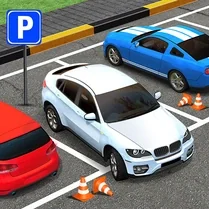
Common Core State Standards
Every game supports specific Common Core standards. Browse the full standards library.
Practice by Skill
Games by Grade
What is Parking Star 3D: Downtown Clash
Ready to prove your parking prowess? Move through downtown streets and squeeze into spots that seem just too tight.
How to Play
Use the arrow keys or on-screen controls to steer your car, accelerating and braking to line up with the marked parking space. Then, carefully angle your vehicle into the zone without hitting obstacles to complete the level.
Tips for Playing
- Take it slow—reversing gives you better control in tight spots.
- Use the camera to check your blind spots before making a move.
- Aim to enter the spot at a wide angle, then straighten out.
- Avoid hitting other cars or barriers to keep your score high.
- Practice on easier levels to get a feel for the car's turning radius.
Frequently Asked Questions
Can I play Parking Star 3D: Downtown Clash on my mobile device?
Yes, the game is designed to work on both desktop and mobile browsers, with touch controls available for touchscreens.
What are the system requirements to run the game smoothly?
The game is lightweight and runs on most modern browsers with JavaScript and WebGL enabled.
How do I earn stars in the game?
Stars are awarded based on how accurately and quickly you park without scraping or crashing.
Is there a way to change the camera angle?
Yes, you can adjust the camera view using the mouse or touch controls to get a better perspective.
What happens if I crash into an obstacle?
You'll lose some time and may damage your car effect, but you can retry the level to improve your result.
Related Racing Games
 Parking Master: Urban Challenges
 Parking Fury 2
 Traffic Tour
 Parking Pro
 Time To Park
 Parking Hero 3D: City Jam
 Race in City on Porsche
 Parking Simulator
 Street traffic: driving in the city
 Police Car
 Parking Station
 Sports cars and city
 Harbor Parking
 AmericanCar: Simulator
 Bustle on E 63
 Car Chase!
 Car Parking In The City
 Car Parking City Duel