Car Parking In The City
Car Parking In The City drops you behind the wheel in a realistic urban landscape where every parking bay is a fresh puzzle. The game focuses on the often-frustrating, sometimes nail-biting task of slotting your car into confined spaces without scratching the paintwork. As you move through the levels, the spots get narrower, the traffic more unpredictable, and the surrounding obstacles less forgiving. It's a test of patience and control, far more about gentle taps on the pedals and smooth turns than about raw speed. The city feels alive—there are pedestrians strolling by, other vehicles passing, and tight corners to navigate. Each level presents a new scenario, from parallel spots along busy avenues to angled bays in cramped garages. The game's virtual physics also simulate real car behavior, meaning you must account for momentum and steering angle. Success comes from planning your approach, using your mirrors, and taking it slow. This is the perfect game for anyone who wants to practice their parking skills or simply enjoy a low-pressure logic challenge in a detailed urban setting.
 WaffleMath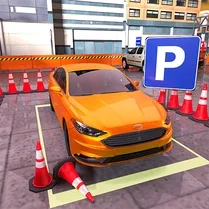
Common Core State Standards
Every game supports specific Common Core standards. Browse the full standards library.
Practice by Skill
Games by Grade
What is Car Parking In The City
If you've ever circled a block hoping for an easy spot, this game lets you practice the tricky part without the real-world stakes. Car Parking In The City turns precision parking into an engaging puzzle that tests your spatial reasoning.
How to Play
Drive your car through the city streets using the arrow or WASD keys to reach the highlighted parking area. Use the camera controls to get a better view of your surroundings and guide the vehicle carefully into the designated space without hitting anything.
Tips for Playing
- Always take a wide approach to a parking spot to give yourself more room to maneuver.
- Use the camera to switch to a top-down or side view when navigating tight gaps.
- Brake early and gently; sudden stops can throw off your alignment.
- Don't rush—slow, steady movements are more accurate than quick corrections.
- Check your mirrors and look for colored indicators that guide your alignment.
Frequently Asked Questions
What are the controls for Car Parking In The City?
You steer with the arrow keys or WASD, and you can often use the mouse to move the camera around. The game also provides helpful on-screen hints for specific actions.
Is there more than one parking challenge?
Yes, the game features dozens of levels with increasing difficulty. You'll face parallel parking, reverse parking, and angled spots in various city locations.
How do I know if I've parked correctly?
When your car is fully within the designated parking zone and not hitting any obstacles, the game signals a successful park. You'll often see a checkmark or a level completion indicator.
What happens if I hit an obstacle?
Touching a wall, other vehicle, or barrier typically causes a time penalty or requires you to restart the level. Some versions may simply reset the car to the starting point.
Can I switch the camera view while parking?
Absolutely. Most versions allow you to toggle between a top-down view and an in-car perspective, which can help you judge distances better.
Is this game suitable for inexperienced drivers?
Yes, it's a great tool for learning basic parking principles. The early levels are forgiving, and the game gradually introduces more complex scenarios as your skills improve.
Related Racing Games
 Parking Hero 3D: City Jam
 Online Car Destruction In A Big City
 Car Parking City Duel
 Car Parking RP 2025
 Car Parking Simulator - Russia
 Drift in the Big City
 The Great Racer: Big City
 Parking Master: Urban Challenges
 Parking Star 3D: Downtown Clash
 Parking Fury 2
 City Driving Simulator
 ACR: City Drift Racing
 Real Cars in City
 BMW. Drift in city
 City Theft Auto
 Traffic Tour
 Parking Pro
 Extreme Car Parking