Harbor Parking
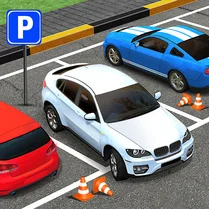
Harbor Parking drops you behind the wheel in a series of detailed waterfront environments where every berth demands careful handling. The game focuses on the delicate art of maneuvering vehicles around obstacles, through narrow lanes, and into marked parking zones. With a physics model that rewards smooth inputs and punishes sudden jerks, each level feels like a genuine driving test rather than a simple point-and-click puzzle. As you progress, the scenarios become more demanding, introducing tighter spaces, moving elements, and varied vehicle types that alter how you approach each spot. The feedback is immediate, and the satisfaction of perfectly aligning your vehicle within the lines is a constant draw. Whether you have a few minutes or an hour, this pick-up-and-play experience offers a steady challenge that sharpens your spatial awareness and patience.
 WaffleMath
Common Core State Standards
Every game supports specific Common Core standards. Browse the full standards library.
Practice by Skill
Games by Grade
What is Harbor Parking
Harbor Parking is an arcade driving game that turns the mundane task of parking into a series of engaging, physics-based puzzles. It challenges your precision and control in a variety of scenic dock settings.
How to Play
Use the arrow keys or WASD to steer, accelerate, and reverse your vehicle. Aim to guide your vehicle into the designated parking zone without hitting obstacles, then come to a full stop within the marked area to complete the level.
Tips for Playing
- Slow down when entering the parking area – oversteering at speed makes accurate positioning much harder.
- Use counter-steering to straighten the vehicle as you reverse into a spot.
- Watch the on-screen indicator to gauge the correct distance and angle for the final stop.
- Plan your approach before you turn, choosing the widest path possible to reduce sharp adjustments.
- Practice the first levels multiple times to get a feel for the vehicle's turning radius and braking response.
Frequently Asked Questions
What are the basic controls for Harbor Parking?
The game uses standard keyboard controls: arrow keys or W, A, S, D to move and steer. Throttle and brake are also mapped to the up/down or W/S keys.
Is Harbor Parking available on mobile devices?
Yes, the game is designed to work in web browsers on both desktop and mobile devices with touch controls, though a keyboard is recommended for the most precise handling.
How many levels are there in Harbor Parking?
The game offers a series of levels that progressively increase in difficulty, with new layouts and obstacles introduced as you advance.
What happens if I hit an obstacle in Harbor Parking?
Colliding with obstacles can cause damage or reset your position, depending on the level. You'll need to restart the attempt or reposition the vehicle to continue.
Can I skip a level if it's too difficult?
There is no skip option in the normal progression, but you can replay previous levels to practice and improve your parking skills before retrying a tough one.
Does Harbor Parking save my progress?
Yes, the game automatically saves your progress in your browser's local storage, so you can continue from where you left off on the same device.
Related Racing Games
 Parking Simulator
 Drive Mad
 Parking Fury 2
 Eggy Car
 Hill Climb
 French Driving
 Stunt Car Simulator 3D
 Extreme Car Crash Simulator
 Car Crash: Rockfall
 Best Car Simulator
 Parking Pro
 Extreme Car Parking
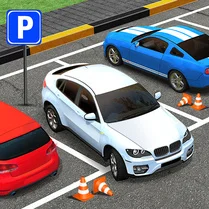 Time To Park
 Driver Online Cars
 Ride in Cadillac
 Russian Car: Simulator
 Car Destruction & Drift Simulator
 Parking Hero 3D: City Jam