Nubik: Create Your Place
Nubik: Create Your Place drops you into a cozy sandbox where the only limit is your imagination. You start with an empty lot and a catalog bursting with furniture, décor, and architectural bits—from comfy sofas and funky lamps to staircases and garden gnomes. The game feels like a digital dollhouse for grown-ups, letting you drag, drop, and tweak every corner until it feels just right. Whether you're building a sleek studio, a rustic cabin, or a neon-lit gaming den, the tools are simple enough to pick up in seconds, yet deep enough to keep you tweaking for hours. What really sets this experience apart is the social layer. Once your space is polished, you can throw open the doors and invite friends to wander through, hang out, and even leave their mark. It's not about competition or scores—it's about creative expression and shared moments. You'll find yourself swapping ideas, co-designing rooms, and discovering clever tricks from others. Nubik turns a solo building session into a collaborative playground, making every visit fresh and personal.
 WaffleMath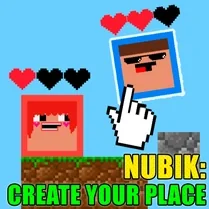
Common Core State Standards
Every game supports specific Common Core standards. Browse the full standards library.
Practice by Skill
Games by Grade
What is Nubik: Create Your Place
Nubik: Create Your Place is a relaxed building game where you design your own corner of the world. Pick your style, arrange your items, and share the result with friends.
How to Play
Select items from the menu and place them anywhere in your space, rotating and adjusting to your liking. Once you're happy, share a link or invite friends to tour your creation.
Tips for Playing
- Start with a basic layout—like a living area and a bedroom—before adding details.
- Use lighting strategically to set the mood, whether it's warm, bright, or moody.
- Mix different furniture styles to create a unique, eclectic look.
- Don't forget outdoor spaces; a tiny garden or balcony adds charm.
- Visit friends' places for fresh ideas and to see what's possible.
Frequently Asked Questions
Can I play with friends in real time?
Yes, you can invite friends to visit your space, and you can explore theirs. Real-time co-editing isn't always available, but you can leave notes or collaborate asynchronously.
Is there a limit to how many items I can place?
While there's a generous item cap, it's in place to keep performance smooth. If you hit it, try simplifying or removing extras.
Can I save my builds and come back later?
Absolutely. Your creations are saved automatically to your account, so you can pick up right where you left off.
Can I share my creation with people who don't play?
Yes, you can generate a shareable link that lets anyone view your space, even without an account.
How do I rotate items?
Use the rotate button or keyboard shortcuts (typically R or arrow keys) to spin items horizontally. You can also adjust height or angle on some pieces.
Are there in-app purchases?
The game is free to play, but it offers optional cosmetic items or expansions for purchase. These aren't required for core building.
Related Sandbox Building Games
 Builder
 Toca World: Creativity and Design
 Melon Playground
 Space Rocket Simulator
 Lego constructor
 Sandbox
 3D Labubu Sandbox
 SCP sandbox online
 Sandbox 3D
 Random sandbox
 Create a Plane
 Lego Master!
 Construction Set - 3D Builder
 Geometry MOD 5: Create a Playground map!
 Build and Destroy: Sandbox
 Sandbox: Build And Destroy 3D
 BlockWorld Sandbox - Craft simulator
 Cube World: Build and destroy