Geometry MOD 5: Create a Playground map!
Step into a colorful world of shapes and open-ended design. Geometry MOD 5 invites you to become the architect of your own play space, using a variety of geometric blocks and tools to craft anything from simple slides to complex climbing structures. The game blends spatial reasoning with pure imagination, offering a relaxing yet engaging experience where you can test your creations and watch them come to life. With an intuitive interface and a robust set of building options, you can experiment with different arrangements, colors, and elevations. Whether you're a puzzle enthusiast or just someone who loves to build, this arcade-style sandbox provides a satisfying outlet for your ideas. Share your masterpieces with friends or simply enjoy the process of making something entirely your own.
 WaffleMath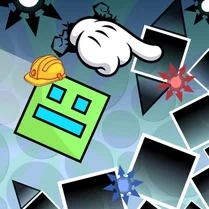
Common Core State Standards
Every game supports specific Common Core standards. Browse the full standards library.
Practice by Skill
Games by Grade
What is Geometry MOD 5: Create a Playground map!
Create a playground that's uniquely yours using geometric shapes. This mode gives you the tools and freedom to build, explore, and play in your own virtual space.
How to Play
Select shapes and place them on the canvas to build your playground. Use the controls to rotate, resize, and reposition elements, then test your creation to see how it works.
Tips for Playing
- Start with a flat base to ensure your structures are stable.
- Experiment with different shape combinations to create unique features.
- Use color to differentiate areas and make your playground visually appealing.
- Test your playground frequently to catch any design flaws early.
- Think vertically—adding height can make your playground more exciting.
Frequently Asked Questions
Can I save my playground creations?
Yes, you can save your designs locally so you can return and modify them later.
Is there a limit to how many shapes I can place?
There is no hard limit, but performance may decrease if you place an extremely large number of objects.
Can I play with friends?
The game is primarily single-player, but you can share your playground by taking screenshots or describing your layout to others.
Are there any pre-built playground templates?
Yes, a few basic templates are available to help you get started, but you can also start from scratch.
What happens if I make a mistake?
There is an undo function, so you can easily revert your last action or remove individual objects.
Do I need to be good at geometry to play?
Not at all. The game is about creativity and fun, so you can build freely without worrying about precise calculations.
Related Sandbox Building Games

 Lego constructor
 Sandbox
 3D Labubu Sandbox
 SCP sandbox online
 Sandbox 3D
 Random sandbox
 Lego Master!
 Builder
 Construction Set - 3D Builder
 The Geometry Dash Sandbox
 Build and Destroy: Sandbox
 Sandbox: Build And Destroy 3D
 BlockWorld Sandbox - Craft simulator
 Cube World: Build and destroy
 Minecraft Editor
 Craft Flying Car
 Experiment Room: Sandbox
 Obbi Playground: Sandbox Mod