Space Rocket Simulator
Space Rocket Simulator puts you in the role of a rocket engineer and pilot. You start by assembling your launch vehicle from a variety of parts, each affecting weight, thrust, and stability. The game models basic physics, so you must balance fuel consumption and aerodynamics to achieve orbit or land on distant celestial bodies. It's a sandbox for experimentation, where every successful mission unlocks new components and objectives. As you progress, you face varied missions like delivering satellites, docking with space stations, or executing precision landings. The arcade control scheme keeps the experience approachable, while the physics depth offers room for mastery. Whether you aim for suborbital hops or deep-space voyages, the game rewards planning and problem-solving. Its clean visuals and smooth performance make it a tidy package for anyone fascinated by rocketry.
 WaffleMath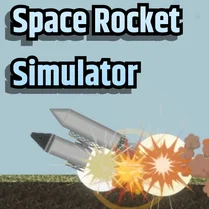
Common Core State Standards
Every game supports specific Common Core standards. Browse the full standards library.
Practice by Skill
Games by Grade
What is Space Rocket Simulator
Forge your path to the stars by building rockets from scratch and piloting them through space. Every launch tests your design choices and piloting skill.
How to Play
Assemble your rocket from available parts in the construction menu, then hit launch and use the throttle and guidance controls to fly. Adjust your trajectory and manage fuel to complete the mission objectives shown on screen.
Tips for Playing
- Keep your rocket's thrust-to-weight ratio above one to lift off smoothly.
- Start with a small, stable design before adding complex stages.
- Use the map view to plan your ascent and adjust your trajectory early.
- Practice landing on flat terrain to avoid tipping over.
Frequently Asked Questions
What is the goal of Space Rocket Simulator?
You aim to design, launch, and pilot rockets to complete missions like reaching orbit or landing on other worlds. The game is a sandbox where you can also experiment freely.
How do I control my rocket during flight?
You use on-screen controls for throttle and attitude (pitch, yaw, and roll). The exact control scheme is usually shown in the tutorial or help menu.
Can I save and load my rocket designs?
Yes, most versions of the game allow you to save your custom rocket designs for later use. Look for the save option in the construction screen.
Is the game based on realistic physics?
It uses simplified but realistic orbital mechanics, including gravity, thrust, and drag. This makes it educational while keeping the gameplay arcade-style.
What happens if I run out of fuel?
If you run out of fuel, you'll drift on your current trajectory. You can either restart the mission or attempt a rescue, depending on the game mode.
Are there different planets or moons to explore?
Yes, as you progress, you unlock or choose different destinations with varying gravity and atmospheric conditions, adding challenge and replayability.
Related Simulation Tycoon Games
 Spaceflight Simulator
 Geometry Dash - CosmoDash! Sandbox!
 New World: Path to the Stars
 Build a Rocket: Playground
 Nexus World
 Nubik: Create Your Place
 Minecraft Online
 EaglerCraft 1.8
 Solar Smash
 Melon Playground
 Infinite Craft
 Idle Success
 My Perfect Hotel
 Bridge Construction Simulator
 Terraria Playground
 Football Manager
 Space Wars Battleground
 Lego constructor