Minecraft - Coloring Pages
Step away from the rush of survival and construction to enjoy a calmer side of the blocky world. This pastime hands you a library of black-and-white line art drawn from familiar Minecraft motifs—from the stern face of a Creeper to cozy woodland cottages. Each outline is a fresh canvas, begging for your personal touch of color, whether you stick to the classic tones or go wild with neon shades. The controls are designed to keep the focus on creativity: simply pick a shade from the digital palette and click or tap the regions you want to paint. There's no time limit, no scoring system, and no way to fail—just pure, uninterrupted artistic expression. It's an ideal way to unwind after a long day or to introduce younger players to the joy of coloring without any complex mechanics.
 WaffleMath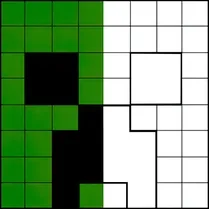
Common Core State Standards
Every game supports specific Common Core standards. Browse the full standards library.
Practice by Skill
Games by Grade
What is Minecraft - Coloring Pages
Grab your virtual brushes and settle into a relaxing session of pixel coloring. This browser-based pastime brings the beloved blocky aesthetic to life through simple, satisfying color fills.
How to Play
Choose a coloring page from the selection, then select a color from the palette and click on the areas you wish to fill. You can switch colors anytime and undo mistakes as you go.
Tips for Playing
- Start with larger areas first to establish the base colors of your scene.
- Use the undo button freely—experimentation is half the fun.
- Try matching the official Minecraft palettes for a classic look, or invent your own twist.
- Zoom in on tricky details to color accurately, especially around small pixels.
- If you get stuck, take a break—there's no rush, and you can always return to your masterpiece.
Frequently Asked Questions
Is there a time limit in this coloring game?
No, there is no time limit. You can color at your own pace and enjoy the relaxing experience.
Can I save my colored pages?
Unfortunately, this version does not have a built-in save feature. However, you can screenshot your finished work to keep it.
Are there different difficulty levels?
The game offers a variety of pages with different levels of detail, from simple icons to complex landscapes, so you can choose what suits your mood.
Is this game suitable for kids?
Absolutely. The simple click-and-paint mechanics and non-violent content make it family-friendly for all ages.
Do I need to download anything to play?
No downloads are necessary. The game runs directly in your web browser, so you can play instantly.
Can I play on mobile devices?
Yes, the game is compatible with touch screens, allowing you to color on phones and tablets as well as on desktop.
Related Art Coloring Games
 Coloring book: Minecraft
 Brawl Stars Coloring book
 Cartoon coloring book
 Colouring book Minecraft world
 Cool Coloring Pages for Kids
 Rainbow Friends - Coloring Pages
 Skibidi-di Toilet Coloring Pages
 Toka Boca Coloring for Girls
 Among Us: Survival Coloring
 Mandala Coloring Book
 Brainrot: coloring
 Tap To Color: Painting Book
 Coloring Book for Kids
 Lilo & Stitch: Coloring Book for Kids
 Italian Brainrot Coloring Book
 Simple Sketch! ASMR Art Coloring
 Colouring book Paw Patrol
 Unicorn Coloring