Coloring Book for Kids
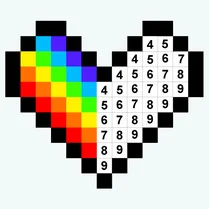
Coloring Book for Kids transforms the classic coloring experience into an interactive digital playground. Children choose from a gallery of charming outlines—from friendly animals to whimsical vehicles—and bring them to life with a rainbow of hues. The simple tap-to-fill interface keeps the focus on creativity, allowing even the youngest fingers to produce delightful artwork with ease. Beyond the fun, this arcade-style activity gently encourages color recognition and fine motor skills. Each completed masterpiece can be saved, giving kids a sense of accomplishment and a growing portfolio of their artistic adventures. With no timers or scores, it's a pressure-free space where imagination takes the lead.
 WaffleMath
Common Core State Standards
Every game supports specific Common Core standards. Browse the full standards library.
Practice by Skill
Games by Grade
What is Coloring Book for Kids
Dive into a colorful world where every picture is a blank canvas waiting for your personal touch. Pick a design, choose your palette, and watch your ideas come to life.
How to Play
Select a picture from the collection, then choose a color from the palette and tap on the areas you want to fill. Use the zoom feature for precise details and the eraser to fix any spills.
Tips for Playing
- Start with larger areas first to establish a color scheme, then move to tiny spaces.
- Tap and hold to fill continuous areas quickly without gaps.
- Use the undo button liberally—there's no penalty for experimenting.
- Try contrasting colors for outlines and fills to make your art pop.
- Save your favorite pieces to build your own gallery over time.
Frequently Asked Questions
Is there a time limit for each picture?
No, you can color at your own pace. The game is designed to be relaxing, with no countdown or pressure.
Can I undo a mistake?
Yes, simply tap the undo arrow to revert your last color application, or use the eraser tool to remove color from specific spots.
Are there different difficulty levels?
The game offers a range of illustrations, from simple outlines for beginners to more detailed scenes for older kids, ensuring a suitable challenge for everyone.
Can I save or share my finished artwork?
Absolutely! Each finished coloring can be saved to your device, and you can share it with family and friends through your device's sharing options.
Does the game require an internet connection?
Once loaded, the coloring activity runs entirely on your device, so you can keep drawing even when offline.
Is this game suitable for toddlers?
Yes, the simple tap-to-fill mechanics are easy for young children, and the bright, friendly designs capture their attention without overwhelming them.
Related Art Coloring Games

 Among Us: Survival Coloring
 Coloring book: Minecraft
 Brawl Stars Coloring book
 Lilo & Stitch: Coloring Book for Kids
 Cartoon coloring book
 Digital Circus: Coloring Book
 Sonic Wonder Coloring
 Sprunki - Coloring Book for Kids
 Among Us Coloring For Kids
 Banban Coloring
 Cool Coloring Pages for Kids
 Minecraft - Coloring Pages
 My Little Pony - mega coloring
 Rainbow Friends - Coloring Pages
 Skibidi-di Toilet Coloring Pages
 Toka Boca Coloring for Girls
 The best Mine coloring book
 Paint by Number