Digital Circus: Coloring Book
Digital Circus: Coloring Book is a laid-back arcade experience that turns the spotlight on your imagination. Instead of chasing high scores, you settle into a cozy creative groove, picking from a broad spectrum of shades to decorate scenes inspired by a playful circus world. Each illustration features quirky characters and whimsical backdrops, inviting you to slow down and make every piece your own. Whether you have a few minutes or a whole afternoon, the game offers a steady rhythm that feels more like a sketchpad than a typical action title. The interface keeps everything straightforward: choose a color from the palette, tap or click the area you want to fill, and watch the picture transform. There are no timers, no penalties, and no wrong answers—just the quiet satisfaction of seeing a black-and-white outline blossom into something vibrant. As you move from one drawing to the next, you might even discover new details tucked into the scenery. It’s a gentle, engaging way to unwind, and it suits players of all skill levels who enjoy a bit of artistic play without any pressure.
 WaffleMath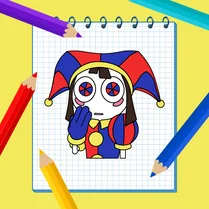
Common Core State Standards
Every game supports specific Common Core standards. Browse the full standards library.
Practice by Skill
Games by Grade
What is Digital Circus: Coloring Book
Digital Circus: Coloring Book offers a calm, colorful escape where you paint playful circus scenes at your own pace. Pick your palette, choose a picture, and let your creativity take center stage.
How to Play
Select an illustration from the menu, then tap or click a color from the palette before touching the area you want to fill. Continue switching colors and filling sections until you complete the picture and can move on to the next one.
Tips for Playing
- Start with larger areas first to build confidence and see quick progress.
- Use lighter colors for backgrounds so the main characters stand out.
- Try a monochrome palette for a stylish, dramatic effect.
- Zoom in on small details to ensure you don’t miss any spots.
- Take breaks if a section feels tricky; the game isn’t timed, so there’s no rush.
Frequently Asked Questions
Do I need to unlock colors or levels?
No, all colors and illustrations are available from the start. You can switch between pictures whenever you like.
Can I erase a mistake?
Yes, there is an undo option that lets you revert your last few fills, so experimenting is safe.
Is this game suited for young children?
Absolutely. The controls are simple, and the content is family-friendly, making it a great choice for kids and adults alike.
How do I save or share my finished art?
Once a picture is complete, you can capture a screenshot using your device’s built-in tools, then save or share it as you wish.
What happens if I run out of time?
There’s no timer in the game, so you can color for as long as you want without any pressure.
Are new pictures added regularly?
The game often updates with additional illustrations, so check back to see fresh scenes to color.
Related Art Coloring Games
 Among Us: Survival Coloring
 Coloring book: Minecraft
 Brawl Stars Coloring book
 Coloring Book for Kids
 Lilo & Stitch: Coloring Book for Kids
 Cartoon coloring book
 Sonic Wonder Coloring
 Sprunki - Coloring Book for Kids
 Among Us Coloring For Kids
 Banban Coloring
 Cool Coloring Pages for Kids
 Minecraft - Coloring Pages
 My Little Pony - mega coloring
 Rainbow Friends - Coloring Pages
 Skibidi-di Toilet Coloring Pages
 Toka Boca Coloring for Girls
 The best Mine coloring book
 Paint by Number