Kids' Chess
Kids' Chess transforms the traditional game of chess into a delightful experience for children. The board is filled with vibrant, animated pieces that bring each move to life, turning every match into a playful journey. With a focus on clarity and fun, young players can learn how each piece moves without feeling overwhelmed, making it the perfect introduction to the world of strategy and tactics. As players progress, they'll uncover the basics of checkmate and piece coordination through engaging gameplay. The interface is intuitive, allowing kids to focus on having fun while they develop critical thinking skills. Whether playing against a friend or challenging an AI opponent, Kids' Chess offers a safe and exciting space to explore the timeless game, encouraging curiosity and a love for learning that lasts a lifetime.
 WaffleMath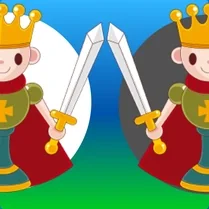
Common Core State Standards
Every game supports specific Common Core standards. Browse the full standards library.
Practice by Skill
Games by Grade
What is Kids' Chess
Jump into a colorful world where chess pieces dance across the board and every move sparks imagination. Perfect for beginners, this game makes learning classic strategy feel like playtime.
How to Play
Select a piece and tap the highlighted square to move it. Capture the opponent's king to win the game.
Tips for Playing
- Start by moving your pawns and knights towards the center of the board to gain control.
- Keep your king protected by castling early in the game.
- Use your knights and bishops to develop your pieces before moving too many pawns.
- Always think one step ahead to anticipate your opponent's moves.
- Don't forget to watch for attacks on your queen—she's powerful but vulnerable.
Frequently Asked Questions
Can I play Kids' Chess on a mobile device?
Yes, the game is optimized for touch controls, so you can play on tablets and phones easily.
How do I make a move in Kids' Chess?
Tap on a piece to see its possible moves, then tap on a highlighted square to move it there.
What happens if I accidentally make a wrong move?
You can undo your last move using the undo button, as long as your opponent hasn't moved yet.
Is there a way to see how each piece moves?
Yes, there is a helpful tutorial mode that explains each piece and its movement with visual examples.
Can I play against another person on the same device?
Absolutely! There's a local two-player mode where you can compete with a friend or family member.
Does Kids' Chess have different difficulty levels?
Yes, you can choose from easy, medium, or hard modes when playing against the computer, making it adaptable to your skill level.
Related Card Board Games

 Chess Free
 Chess with a computer
 Shotgun Chess
 Master Chess
 Junior Chess
 Checkers vs Chess
 Chess Classic
 Chess Club
 Chess with a computer and for two
 Chess Empire 3D Board Game
 Chess - Jungle
 Chess Master
 Chess of the Middle Ages
 Chess Pro
 Chess Versus Computer
 Chess: Win the bot!
 Classic chess
 Classic Chess: Forest