Chess Pro
Chess Pro offers a sleek and responsive take on the age-old battle of wits. Whether you're a beginner learning the ropes or a seasoned player looking to hone your endgame, this browser-based chess experience delivers a clean, distraction-free board that puts the focus squarely on your next move. The interface is intuitive, letting you click or drag pieces with ease, while the subtle animations and customizable appearances keep each session feeling fresh without ever getting in the way of the game itself. At the heart of Chess Pro is its versatile AI system, designed to adapt to your skill level. You can start against a gentle opponent to practice new openings, then gradually climb the difficulty ladder as your confidence grows. The game encourages you to think several moves ahead, anticipate threats, and exploit weaknesses—just like a real chess match. With no timers pressuring you unless you want them, it's a perfect space for quiet contemplation or quick, casual sparring.
 WaffleMath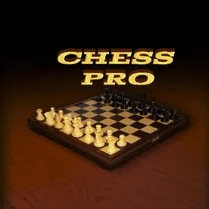
Common Core State Standards
Every game supports specific Common Core standards. Browse the full standards library.
Practice by Skill
Games by Grade
What is Chess Pro
Step onto the 64 squares and put your foresight to the test. Chess Pro brings a classic challenge to your screen with adaptable opponents and a polished interface.
How to Play
Select a piece with your mouse or finger, then move it to a highlighted square to make your turn. The goal is to checkmate the enemy king while keeping your own safe from capture.
Tips for Playing
- Control the central four squares early to give your pieces more room to maneuver.
- Castle your king early to tuck it behind a wall of pawns and connect your rooks.
- Keep your queen back until the board opens up; an early charge often backfires.
- Before each move, check what your opponent's last play threatens.
- Practice against weaker AI to try new openings, then crank up the difficulty to test them.
Frequently Asked Questions
Can I adjust the difficulty of the computer opponent?
Yes, you can select from several AI strength levels before starting a match, ranging from beginner-friendly to expert.
Is there a timer or time control in the game?
The base version is untimed, allowing you to play at your own pace. Some modes may offer optional clocks, but they're not mandatory.
Does Chess Pro allow two players on the same device?
Yes, a local two-player mode is available, letting you face a friend by taking turns on the same screen.
Can I change the appearance of the board and pieces?
Absolutely. There are several board themes and piece sets to choose from in the settings menu.
Does the game show legal moves when I select a piece?
Yes, when you tap or click a piece, the available destination squares are highlighted to assist you.
Will my game progress be saved if I close the tab?
The current match is typically saved in your browser's local storage, so you can resume it later from where you left off.
Related Card Board Games

 Chess Free
 Chess with a computer
 Shotgun Chess
 Master Chess
 Checkers vs Chess
 Chess Classic
 Chess Club
 Chess with a computer and for two
 Chess Empire 3D Board Game
 Chess - Jungle
 Chess Master
 Chess of the Middle Ages
 Chess Versus Computer
 Chess: Win the bot!
 Classic chess
 Classic Chess: Forest
 Fast chess
 Grandmaster Chess