Huggy Human Spider
Huggy Human Spider flips the usual platforming formula on its head. Instead of a simple jump-and-run, you're piloting a nimble creature that can shoot silky threads to pull itself across gaps, scale walls, and dodge incoming threats. Each stage presents a fresh geometric puzzle, with rotating hazards, moving platforms, and tricky angles that demand careful timing rather than blind speed. What sets this game apart is its tactile feel—every swing has weight, and every launch requires a bit of planning. The muted color palette and smooth animations keep the focus on the physics, while the escalating difficulty ensures you're always learning a new trick. Whether you're sneaking in a short break or grinding for a perfect run, the loop stays engaging without ever feeling repetitive.
 WaffleMath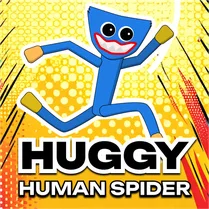
Common Core State Standards
Every game supports specific Common Core standards. Browse the full standards library.
Practice by Skill
Games by Grade
What is Huggy Human Spider
Huggy Human Spider is a bite-sized arcade test of your reflexes and foresight. Swing into action and see how far your web-slinging skills can take you.
How to Play
Use your mouse or touch to aim and fire a web line to a surface, then hold to swing or launch yourself. Release at the right moment to gain momentum and avoid the hazards scattered across each level.
Tips for Playing
- Swing in a straight line rather than arcing to build speed more efficiently.
- Release the web just before you reach the peak of your swing to launch further.
- Study the hazard patterns briefly before committing to a move—patience pays off.
- Use the momentum from a fall to carry you into a swing, saving precious time.
- If you're stuck, try a shorter web point closer to your target for a quicker pivot.
Frequently Asked Questions
How do I control the character in Huggy Human Spider?
You aim with your mouse or finger and click or tap to shoot a web line. Holding the button keeps the line attached while you swing, and releasing lets you go.
Is there a way to pause the game mid-level?
Yes, the game includes a pause button in the corner of the screen. It's handy if you need to step away or plan your next move.
What happens if I hit an obstacle?
Touching a hazard will end your run and respawn you at the start of the current level. You'll need to try again from the beginning of that stage.
Can I play this game on a mobile device?
Absolutely. The controls are touch-friendly and optimized for both portrait and landscape orientations, so it works well on phones and tablets.
Is there any score or completion tracking?
The game tracks your progress through levels and shows a time or attempt counter. You can aim for faster times to challenge yourself or friends.
Does the game get harder as I advance?
Yes, later levels introduce more complex platform layouts, moving obstacles, and tighter timing windows. It's a steady ramp up in difficulty.
Related Runner Games

 Geometry Dash: Black Spider
 Doodle Jump
 Geometry Dash: Dart 2.2 Challenge!
 Karlson
 Vex 8
Vex 8 Obby online
 Gravity Mod
 Geometry Dash: Impossible Demon
 Geometry Dash: Dangerous Choices
 Geometry dash: dual wave
 Call Geometry Dash!
 Geometry Dash: Hardcore 2.2!
 Geometry Dash: Glitch Wave
 The Troll Obby
 Die Devil: Troll Game Again
 Geometry Dash: Fight with Brainrot!
 Geometry Dash: Cube 2.2
 Mr. Stickman and the Bullet