Gravity Mod
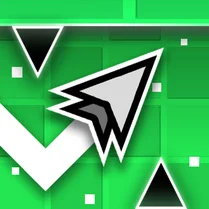
In Gravity Mod, you take on the role of a nimble character trapped in a world where the rules of physics are your greatest ally and your biggest foe. The game presents a series of compact, hand-crafted stages, each designed to test your ability to think and react quickly. Your primary tool is a simple yet profound mechanic: the power to reverse gravity at will. By flipping the world on its head, you can walk on ceilings, evade traps, and navigate through gaps that would otherwise be impossible to cross. The core gameplay loop is deceptively simple but offers remarkable depth. Each level is a micro-puzzle where your environment is as dangerous as it is helpful. Spikes line the floors, walls, and ceilings, while moving platforms and other hazards require precise timing. The challenge ramps up gradually, introducing new elements and requiring you to chain together gravity flips with pinpoint accuracy. With its minimalistic visuals and responsive controls, Gravity Mod delivers a satisfying and addictive experience that keeps you coming back for just one more attempt.
 WaffleMath
Common Core State Standards
Every game supports specific Common Core standards. Browse the full standards library.
Practice by Skill
Games by Grade
What is Gravity Mod
Get ready to bend the rules of physics in Gravity Mod. This action-packed puzzler will have you flipping your perspective—and your footing—to conquer every level.
How to Play
Use the arrow keys or on-screen controls to move your character left and right. Press the designated key to reverse gravity, causing you to fall toward the ceiling, and time your flips to avoid hazards and reach the level's exit.
Tips for Playing
- Take a moment to scan the entire level before making your first move; noticing all hazards early prevents sudden deaths.
- Use short, controlled gravity flips instead of holding the key, as this gives you better control over your position.
- Time your flips so that you land on the opposite surface just before the edge, avoiding plummeting into spikes below.
- Watch the moving platforms' cycles and flip gravity only when they are directly underneath or above you.
- Don't be afraid to fail many times; each death shows you a new dangerous spot to avoid on your next attempt.
Frequently Asked Questions
What devices can I play Gravity Mod on?
Gravity Mod runs smoothly on most modern web browsers, including those on desktop and mobile devices. Its touch-friendly controls make it easy to play on tablets and phones.
How do I control the gravity flip?
Simply press the spacebar or the up arrow key to reverse the gravity direction. You can flip as many times as you like, but each flip affects your momentum, so use it wisely.
Is there a story in Gravity Mod?
No, the game focuses purely on its level-based challenges. Each stage is a self-contained puzzle, and your only goal is to reach the exit without touching any hazards.
Are there checkpoints within levels?
No, each level is short enough that if you die, you restart from the beginning of that same level. This encourages quick retries and helps you learn the layout faster.
What happens if I get stuck on a level?
There is no penalty for trying again; you can restart the level as many times as you need. Sometimes stepping away and coming back with fresh eyes helps spot the solution.