Call Geometry Dash!
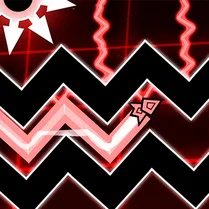
This arcade-style platformer blends quick reflexes with rhythm, challenging you to move a cube through a neon world packed with spikes, blocks, and moving hazards. The twist is that every element is timed to the soundtrack, creating a pulse-pounding climb that rewards precision and timing. Its bold, minimalist visuals keep the focus squarely on the action, while the escalating difficulty ensures a steady sense of accomplishment as you progress. The controls are deceptively simple, but mastering them takes practice and a good ear. Each tap sends your character into a jump or a mid-air flip, and the music acts as your guide through the chaos. With a range of songs and a level editor, you can dive into a fresh challenge or craft your own obstacle course. It's an addictive experience that hooks you with its catchy tunes and keeps you coming back for just one more attempt.
 WaffleMath
Common Core State Standards
Every game supports specific Common Core standards. Browse the full standards library.
Practice by Skill
Games by Grade
What is Call Geometry Dash!
Step into a world where your moves are set to a soundtrack. This rhythm-based platformer demands quick thinking and a steady finger.
How to Play
Tap or click to make your cube jump; hold to perform mid-air flips. Time your actions to the beat of the music to navigate through levels and avoid obstacles.
Tips for Playing
- Listen to the music: the beat often cues the timing for jumps.
- Practice the first few levels to get a feel for the controls and physics.
- Don't rush: sometimes it's better to wait and time your move precisely.
- Use short, controlled taps instead of long holds for better control.
- When you hit a tough section, take a break and come back with a clear head.
Frequently Asked Questions
Is there a level editor in the game?
Yes, you can create and share your own custom levels using the in-game editor.
Can I play with a keyboard or touchscreen?
Absolutely. The game supports both mouse/keyboard and touch controls, so you can play on most devices.
How many levels are there?
The game includes a set of main levels, each with increasing difficulty, plus endless user-generated content.
Is it necessary to have a sense of rhythm to play?
It helps, but you can also succeed by memorizing level patterns and focusing on visual cues.
What happens when I crash into an obstacle?
You return to the start of the level, but you can immediately retry and try again.
Are there different difficulty modes?
The main levels have varying difficulty, but there's no separate mode selector. You can also choose custom levels with different challenge levels.
Related Music Rhythm Games
 Geometry Dash: Hardcore 2.2!
 Geometry Dash: Impossible Demon
 Geometry Dash Finally
 Geometry Dash: Glitch Wave
 Geometry Dash: Black Spider
 Geometry Dash: Cube 2.2
 Geometry Dash: Black Rocket
 Geometry Dash: Demon Evolution
 Undertale Geometry
 Geometry Dash Rocket
 Geometry Dash
 Geometry Dash Original
 Geometry Dash 2.2
 Geometry Dash but 3D!
 Geometry Dash: Super Wave
 Geometry Dash Hyper Wave: Neon Challenge 2
 Geometry Dash 2.2: Arrow
 Geometry Dash: Super Editor