Geometry Mod: Small and Large Cubes!
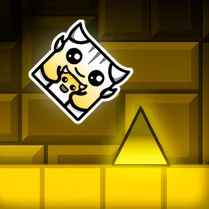
Geometry Mod: Small and Large Cubes! turns simple shapes into a brain-teasing arcade experience. You control a cube that can shift between tiny and massive sizes, forcing you to think carefully about space and timing. Each level presents a new layout of obstacles, platforms, and openings that require precise resizing to traverse. The minimalist visuals keep the focus on pure puzzle-solving, while the escalating difficulty ensures your spatial reasoning is constantly tested. It's a compact, satisfying challenge for anyone who enjoys clever mechanics and clean design. As you progress, the game introduces moving hazards, narrow passages, and pressure-sensitive zones that react to your cube's size. A quick reaction time matters, but so does planning ahead—sometimes staying small is safer, while other moments demand the weight of a large cube to trigger switches or block hazards. The game loops back on itself with clever level design, encouraging you to experiment with both extremes. With its straightforward controls and layered puzzles, it offers a fresh take on size-based platforming that rewards patience and creativity.
 WaffleMath
Common Core State Standards
Every game supports specific Common Core standards. Browse the full standards library.
Practice by Skill
Games by Grade
What is Geometry Mod: Small and Large Cubes!
Step into a world of shifting dimensions where your cube's size is the key to every puzzle. Master the art of growing and shrinking to overcome each geometric obstacle.
How to Play
Resize your cube between small and large forms to navigate through each level. Avoid hazards, trigger switches, and reach the exit to advance.
Tips for Playing
- Scan the whole level before moving—know where the gaps and switches are.
- Stay small in tight spots to avoid getting stuck or crushed.
- Use the large form to activate heavy switches or block moving obstacles.
- Watch the timing of moving platforms and time your resize accordingly.
- If you're stuck, try the opposite size—the solution might be less obvious than you think.
Frequently Asked Questions
What is the main goal in Geometry Mod: Small and Large Cubes!?
Navigate your cube through each level by resizing it to fit through openings, dodge hazards, and activate switches to reach the exit.
How do I resize my cube?
Use the designated controls (usually a button or key) to toggle between small and large sizes. The exact control is shown in the game's interface.
Are there any enemies to avoid?
Yes, later levels feature moving hazards and obstacles that can crush or damage your cube. You'll need to time your movements and size changes to avoid them.
Can I replay completed levels?
Most versions allow you to replay any level you've finished, which is handy for improving your time or exploring alternative solutions.
Is there a time limit?
No, the game doesn't impose a strict timer, so you can take your time to figure out each puzzle. However, some levels may have moving elements that require timely actions.
What happens if I get stuck on a level?
You can restart the level from the beginning. If you're truly stuck, try experimenting with both sizes and different paths—the solution often requires a creative approach.
Related Puzzle Games
 Red Cube in Dash Geometry
 Cubito Mayhem
 Cubes 2048.io
 Geometry Dash but 3D!
 n-gon
n-gon Rubik
Rubik 2048 Cubes
 2048 3D: Merge Cubes
 Geometry Cube 2: Challenge
 Break the robcubes and save the anime girls
 Geometry Hardcore
 Hollow Knight: Silksong in Geometry Mod!
 Bitcube 2048
 Chain Cube: 2048 merge
 Cube Craft
 Geometry Dash Merge
 BURN THEM ALL in MOD Geometry - Sandbox with Fire!
 Geometry Dash: Cube 2.2