Geometry Dash Merge
Geometry Dash Merge layers a matching puzzle right on top of classic auto-run platforming. You guide a square through a series of neon-soaked stages where every obstacle demands precision timing. But instead of just leaping over hazards, you also collect and merge cubes on the fly, which can grant you stronger forms or unlock shortcuts through the level. This pairing keeps your brain and reflexes busy at once. Each course is synced to an electronic soundtrack, so the spikes, pits, and moving blocks line up with the rhythm. That beat is your friend; use it to find the right moment to merge cubes and to time your jumps. With dozens of hand-crafted levels, plus a practice mode to polish tricky sections, the game gives both newcomers and veterans plenty to chew on.
 WaffleMath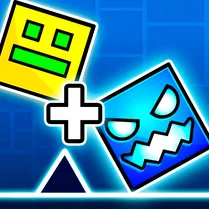
Common Core State Standards
Every game supports specific Common Core standards. Browse the full standards library.
Practice by Skill
Games by Grade
What is Geometry Dash Merge
Jump, merge, and ride the beat in this clever spin on the auto-runner. It is about timing your taps and stacking your cubes just right before the next wave of obstacles hits.
How to Play
Tap or press the screen to make your square jump, and time your landings to avoid spikes and pitfalls. When two cubes of the same color or type appear, merge them to power up and push through barriers.
Tips for Playing
- Listen to the music and let the beat guide your jump timing.
- Merge cubes as soon as they match, but only when you have a clear stretch ahead.
- Use practice mode to memorize tricky jump sequences without restarting.
- Keep an eye on the cube color—matching merges give you extra momentum.
- Stay calm after a fail; the rhythm section is the same every time, so learn from the pattern.
Frequently Asked Questions
What happens when I merge the cubes?
Merging matching cubes upgrades your square, letting you smash through certain obstacles or reach higher platforms. It is essential for clearing several levels.
Is the game timed?
There is no countdown timer. You can take your time to study a section, but the level only moves forward when you do, and the music keeps steaming along with you.
Can I play on mobile?
Yes, the controls are simple taps, so it works well on touchscreens. You can play on a desktop browser too.
Why do I keep dying at the same spot?
That section likely demands a merge before the jump. Watch for matching cubes leading up to that obstacle and try merging earlier.
Is there a level editor?
The main campaign features a set of fixed levels. Some community versions offer custom stages, but the core game is linear.
Do I need to follow the music exactly?
Not precisely, but the obstacles are placed on the beat, so using the rhythm as a cue makes your timing far more consistent.
Related Music Rhythm Games
 Geometry Dash but 3D!
 Geometry Dash: Cube 2.2
 Geometry Dash: Cube Blaster! Epic Super MOD
 Geometry Dash Forms
 Geometry Dash: Geo
 Geometry Dash: Little Story
 Geometry Dash SUPER
 Geometry Dash
 Geometry Dash Original
 Geometry Dash 2.2
 Geometry Dash: Super Wave
 Geometry Dash Hyper Wave: Neon Challenge 2
 Geometry Dash 2.2: Arrow
 Geometry Dash: Super Editor
 Geometry Dash: clicker and levels
 Geometry Dash 2D
 Geometry Dash: Arrow 2.2
 Geometry Dash: Black Wave