Geometry Dash: Little Story
Geometry Dash: Little Story is a rhythmic platformer where a small, colorful cube must navigate through a series of auto-scrolling levels. Each stage is built around a pulsing soundtrack, and every obstacle—spikes, blocks, and moving hazards—aligns with the beat. Your only goal is to keep the cube moving forward without crashing, making split-second decisions as the music drives the pace. The game starts simple, but quickly ramps up in difficulty, testing your reflexes and sense of timing. With its minimalist visuals and catchy electronic beats, the experience is both challenging and mesmerizing. Each attempt feels fresh, and the satisfying rhythm keeps you hooked, pushing you to master every jump and slide. Whether you're a casual player or a hardcore platformer fan, the game offers a tight, rewarding challenge that's easy to pick up but hard to put down.
 WaffleMath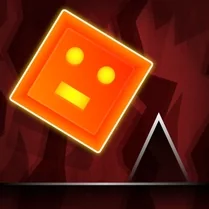
Common Core State Standards
Every game supports specific Common Core standards. Browse the full standards library.
Practice by Skill
Games by Grade
What is Geometry Dash: Little Story
Get ready to leap, slide, and bounce through a world where every step is set to music. Geometry Dash: Little Story is a fast-paced challenge that will test your timing and nerves.
How to Play
Use your mouse or keyboard to make the cube jump, and longer presses to perform higher jumps or flips. Avoid all obstacles to reach the end of each level without crashing.
Tips for Playing
- Listen to the music—it will help you time your jumps with the beat.
- Practice sections you find difficult; memorizing patterns is key.
- Don't rush; sometimes holding the jump button longer is safer than quick taps.
- Use the start-of-level checkpoint to practice tricky parts without restarting.
- Keep an eye on upcoming obstacles by looking ahead, not just at the cube.
Frequently Asked Questions
What is the goal of Geometry Dash: Little Story?
Guide the cube through each level without crashing, using precise jumps to avoid all obstacles. Reach the end to complete the level.
How do I perform a longer jump?
Hold down the jump button (or keys) longer to make the cube jump higher or farther. Release it shortly after jumping to perform a shorter hop.
Can I save my progress?
Yes, the game automatically saves your progress as you complete levels. You can always go back to replay any level you've beaten.
What happens when I hit an obstacle?
You'll crash and restart the level from the beginning, or from the last checkpoint you passed. This encourages learning from your mistakes.
Does the game get harder?
Absolutely. Later levels introduce faster tempos, more complex obstacle patterns, and trickier jumps, providing a steady difficulty curve.
Can I play this game on mobile devices?
Yes, the controls are optimized for touch screens, so you can play on your phone or tablet with the same one-tap mechanics.
Related Music Rhythm Games
 Geometry Dash but 3D!
 Geometry Dash Merge
 Geometry Dash: Cube 2.2
 Geometry Dash: Cube Blaster! Epic Super MOD
 Geometry Dash Forms
 Geometry Dash: Geo
 Geometry Dash SUPER
 Geometry Dash
 Geometry Dash Original
 Geometry Dash 2.2
 Geometry Dash: Super Wave
 Geometry Dash Hyper Wave: Neon Challenge 2
 Geometry Dash 2.2: Arrow
 Geometry Dash: Super Editor
 Geometry Dash: clicker and levels
 Geometry Dash 2D
 Geometry Dash: Arrow 2.2
 Geometry Dash: Black Wave