GD: A wave on the Ship
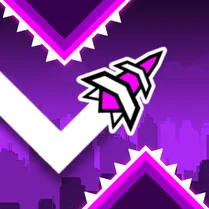
This custom Geometry Dash level drops you into a ship-themed arena where the wave mechanic takes center stage. Rather than traditional platforming, you'll steer a tight, zigzagging path through a series of sharp turns and narrow gaps. The neon visuals and pulsing soundtrack set a brisk tempo that demands precise timing and quick reactions. Each run is a fresh attempt to push further into the course, learning the layout's rhythm and perfecting your inputs. The difficulty ramps up steadily, rewarding players who can maintain focus under pressure. It's a compact, intense challenge that fits perfectly into short gaming sessions, offering a satisfying loop of failure and improvement.
 WaffleMath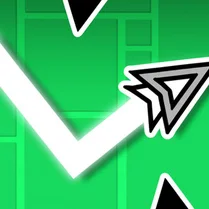
Common Core State Standards
Every game supports specific Common Core standards. Browse the full standards library.
Practice by Skill
Games by Grade
What is GD: A wave on the Ship
A wave-based custom level in Geometry Dash, set aboard a ship with a pounding beat and razor-thin corridors.
How to Play
Press and hold to make the wave rise, release to let it fall. Weave through the maze of obstacles without touching them, and follow the music's rhythm to time your moves.
Tips for Playing
- Watch the obstacle pattern ahead and plan your path before you enter a tight section.
- Tap in short bursts for precise altitude control instead of holding continuously.
- Memorize the level's rhythm by listening to the beat, not just reacting visually.
- Stay patient—each death teaches you the layout, so reset and try again.
- Keep your movements minimal; overcorrecting often leads to crash.
Frequently Asked Questions
What is the wave mechanic in Geometry Dash?
The wave is a mode where your character moves in a straight line, and you control its vertical position. Holding down or releasing changes altitude, and you must navigate through narrow passages.
Is this level harder than the original Geometry Dash levels?
It's a custom level with a moderate to high difficulty, focusing heavily on wave sections. Expect a challenge similar to advanced levels in the game's main campaign.
Can I play this on my mobile device?
Yes, the game runs in a browser and is compatible with most smartphones and tablets. The controls are optimized for touch, with tap-and-hold mechanics.
Do I need to download anything to play?
No downloads are required. The game loads directly in your web browser, making it easy to jump in from any device with an internet connection.
How do I get better at the wave sections?
Practice is key. Focus on memorizing obstacle placements and sync your taps to the music. Starting with smaller adjustments and gradually speeding up can help improve control.
What happens if I hit an obstacle?
You'll immediately restart the level from the beginning. This is standard in Geometry Dash levels, encouraging quick retries and pattern learning.
Related Action Games
 GD: Wave Challenge
 Geometry Dash: Super Wave
 Geometry Dash Hyper Wave: Neon Challenge 2
 Geometry Dash: Black Wave
 Geometry Dash: Fun Wave
 Geometry Dash: Glitch Wave
 Geometry Dash: Make your level with a wave
 Geometry Dash: Mega Wave
 Geᴏmetry 2.2
 Geometric Dash: Slowmo Wave!
 Geometry Dash: Crazy Wave
 Geometry Dash: Extreme Wave
 Geometry Dash: Make your own level with a ship
 Geometry Dash Ship
 Labubu - Wave Geometry Dash
 Geometry Dash
 Geometry Dash Wave: Original
 Geometry dash wave