EmojiMix: Create Your Own Emoji!
EmojiMix: Create Your Own Emoji! turns the familiar emoji keyboard into a sandbox for your imagination. Instead of picking from a fixed set, you start with a blank canvas and layer different eyes, mouths, hats, and other details to craft a face that's entirely yours. The game keeps things light and intuitive, so you can jump straight into experimenting with combinations that range from silly to surprisingly expressive. Each session is a quick creative burst, perfect for when you have a few minutes to spare. The puzzle element emerges as you try to match specific mood prompts or simply aim for the funniest result. Once you're happy with your creation, you can save it and show it off to friends. It's a low-pressure, feel-good activity that celebrates small, weird, and wonderful variations on the characters we use every day.
 WaffleMath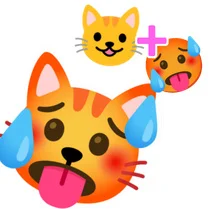
Common Core State Standards
Every game supports specific Common Core standards. Browse the full standards library.
Practice by Skill
Games by Grade
What is EmojiMix: Create Your Own Emoji!
Design emojis that are uniquely yours by combining different parts. This game is all about playful expression and quick creative choices.
How to Play
Choose from a selection of eyes, mouths, and accessories to assemble your emoji. Drag or tap the parts onto the face area, and rearrange them until you're satisfied with the look.
Tips for Playing
- Start with the eyes, as they set the overall mood of your emoji.
- Try contrasting features, like a happy mouth with sad eyes, for unexpected results.
- Use accessories sparingly to make a single element stand out.
- If you're stuck on a prompt, think of a movie character or animal for inspiration.
- Save your favorites early so you can compare them side by side.
Frequently Asked Questions
How many different emoji parts can I combine?
The number of parts varies, but you can mix most facial features and accessories in any combination you like. There's no limit to the face elements themselves.
Is there a way to share my created emojis?
Yes, the game lets you save your designs as images that you can send to friends or post on social media.
Can I undo a part after placing it?
Absolutely. Just tap or click on the part to remove it, or use the undo button to go back one step at a time.
Does the game have a time limit or scoring?
No, there's no pressure. It's a relaxed creative experience where you decide when a design is finished.
Are there any hidden parts to unlock?
Certain special accessories might appear after you create a certain number of emojis, but the core parts are all available from the start.
Related Art Coloring Games

 Toca World Online
 Diy Phone Case
 Gun Builder
 Minecraft Skin Editor
 Geometry Dash: Ship Editor
 Shoes Design DIY
 Puppet Designer
 Playground with Mods
 Schoolboy Emoji: Create Schoolboy Emotions
 Draw a weapon
 Swords Maker
 Design and characters
 Stickers DIY
 Create a Ragdoll Skin in Mine
 Blockdoll Sandbox
 DIY Clothing
 DIY Dress
 Phone Case Designer